Skip to content

Every bug, however it’s found.

Crashes report themselves. Testers shake the phone. Users tap Report. Each one reaches you with the replay, console, network and device, from phones, the web and TV.

On TV: Apple TV · Android TV · Fire TV · Roku · Samsung Tizen · LG webOS

Same report, whichever way it came in.

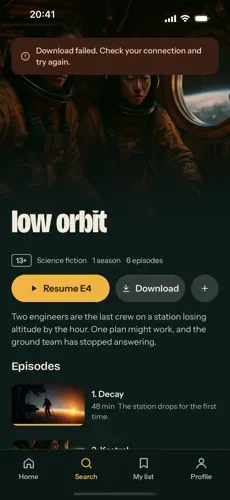
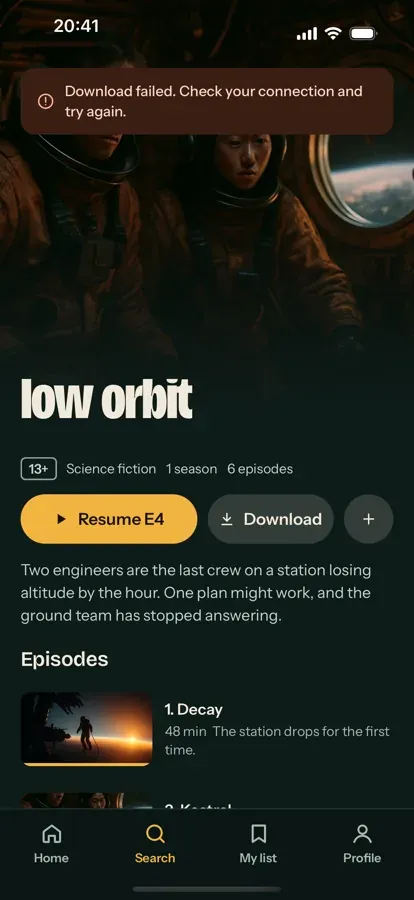
Nocturne on iPhone showing Download failed on the Low Orbit page.
Replay, last 30 seconds

Caught automatically. Nobody had to report it.

Download of "low-orbit" failed: Cannot read property 'freeBytes' of undefined

iPhone, iOS 26.5Nocturne Mobile 1.0.04 occurrences

  1. 00:04.9 screenSearch
  2. 00:08.2 screenLow Orbit
  3. 00:11.5 tapDownload
  4. 00:11.6 errorCannot read property 'freeBytes' of undefined
  • Replay
  • Console
  • Network
  • Device
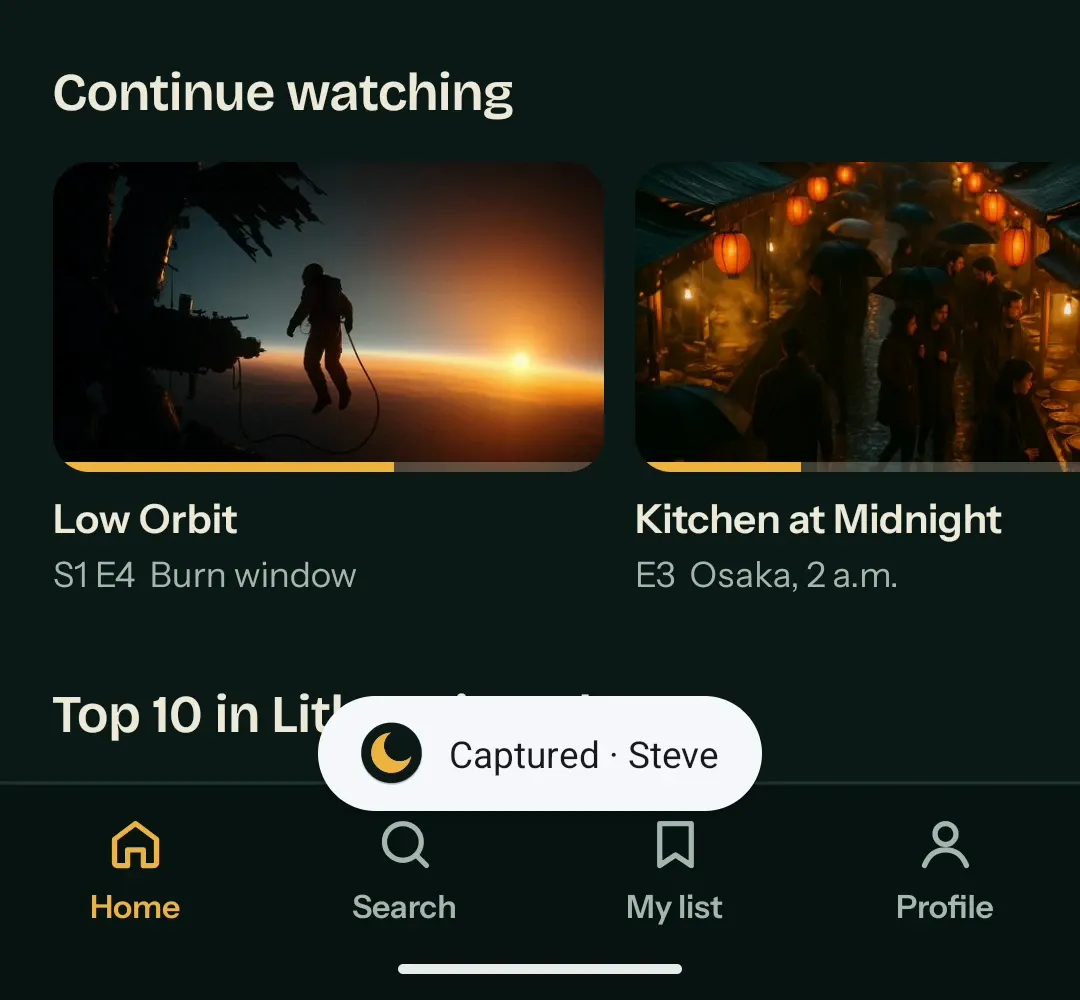
Nocturne on an Android phone with the toast Captured · Steve after a shake.
Replay, last 30 seconds

Filed with a shake on a linked test phone.

New capture from Steve

Android phoneDraft, titled later on the dashboard

  1. 00:01.0 screenMy list
  2. 00:02.3 screenHome
  3. 00:02.6 netGET /rails/continue-watching 200
  4. 00:09.4 shakeCaptured for Steve
  • Replay
  • Console
  • Network
  • Device
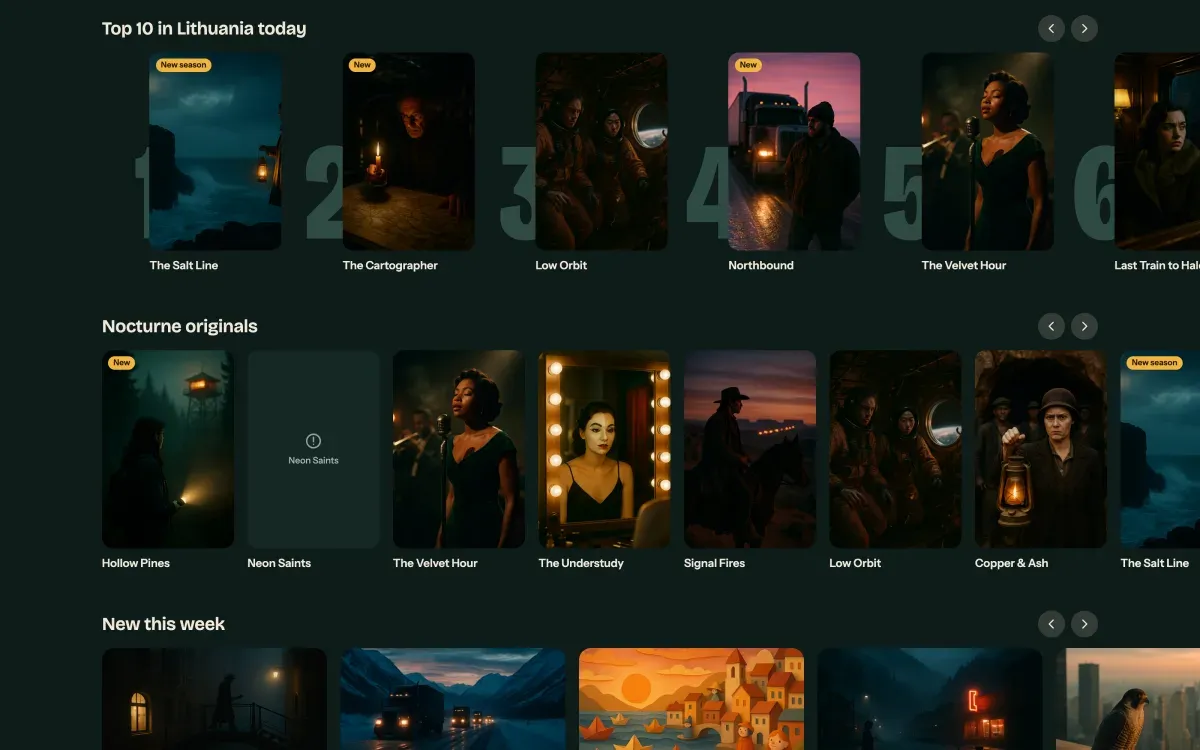
Nocturne TV on the web with the Neon Saints poster missing from the originals row, circled by the reporter.
Replay, last 30 seconds

Sent from the app, with the problem circled.

Neon Saints poster never loads

Chrome on macOSNocturne TV web

  1. 00:12.7 screen/originals
  2. 00:13.1 netGET /posters/neon-saints.webp 404
  3. 00:24.0 tapReport a bug
  4. 00:41.6 reportCircled the empty poster
  • Replay
  • Console
  • Network
  • Device

From found to fixed

  1. Before the report

    The last 30 seconds, already saved.

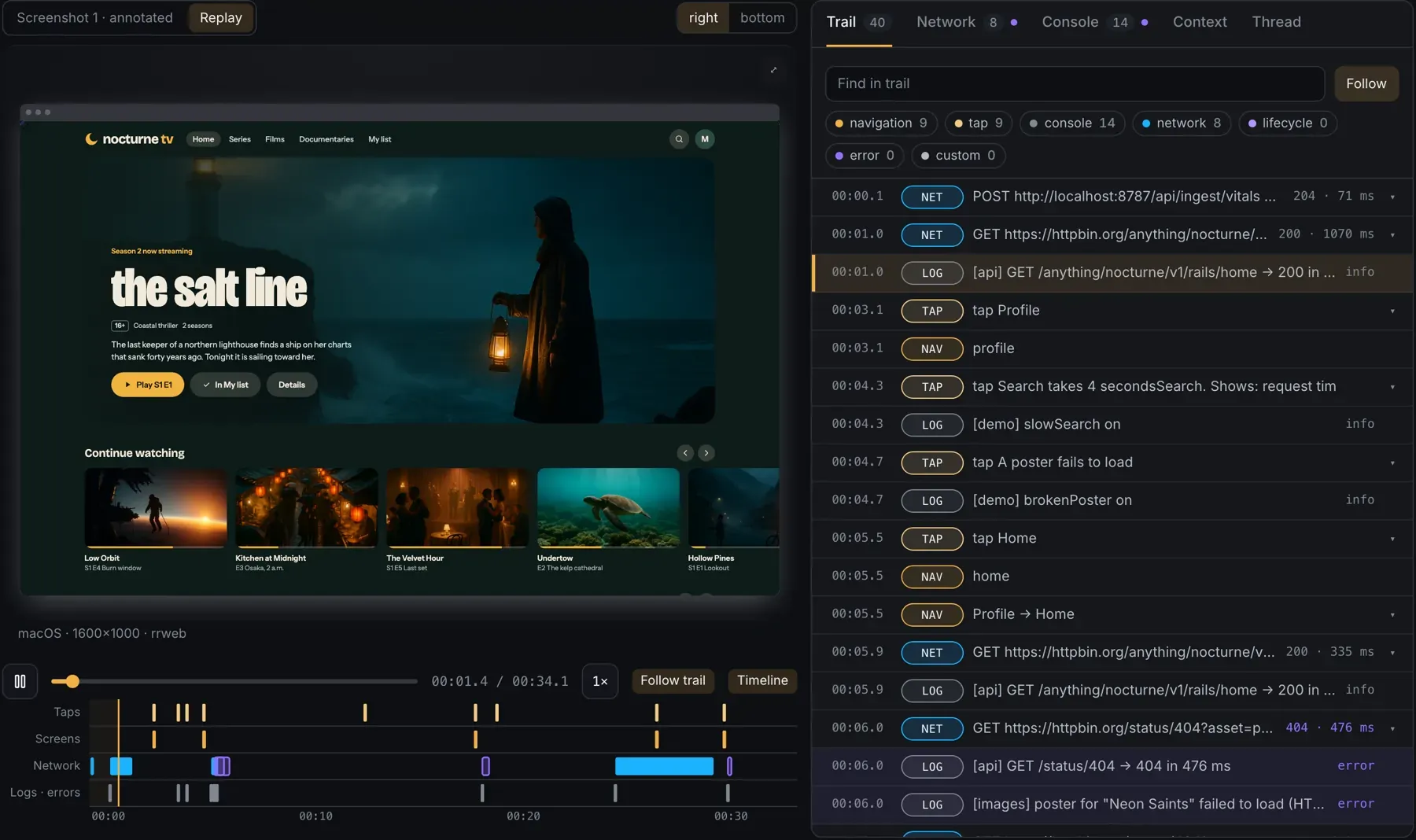
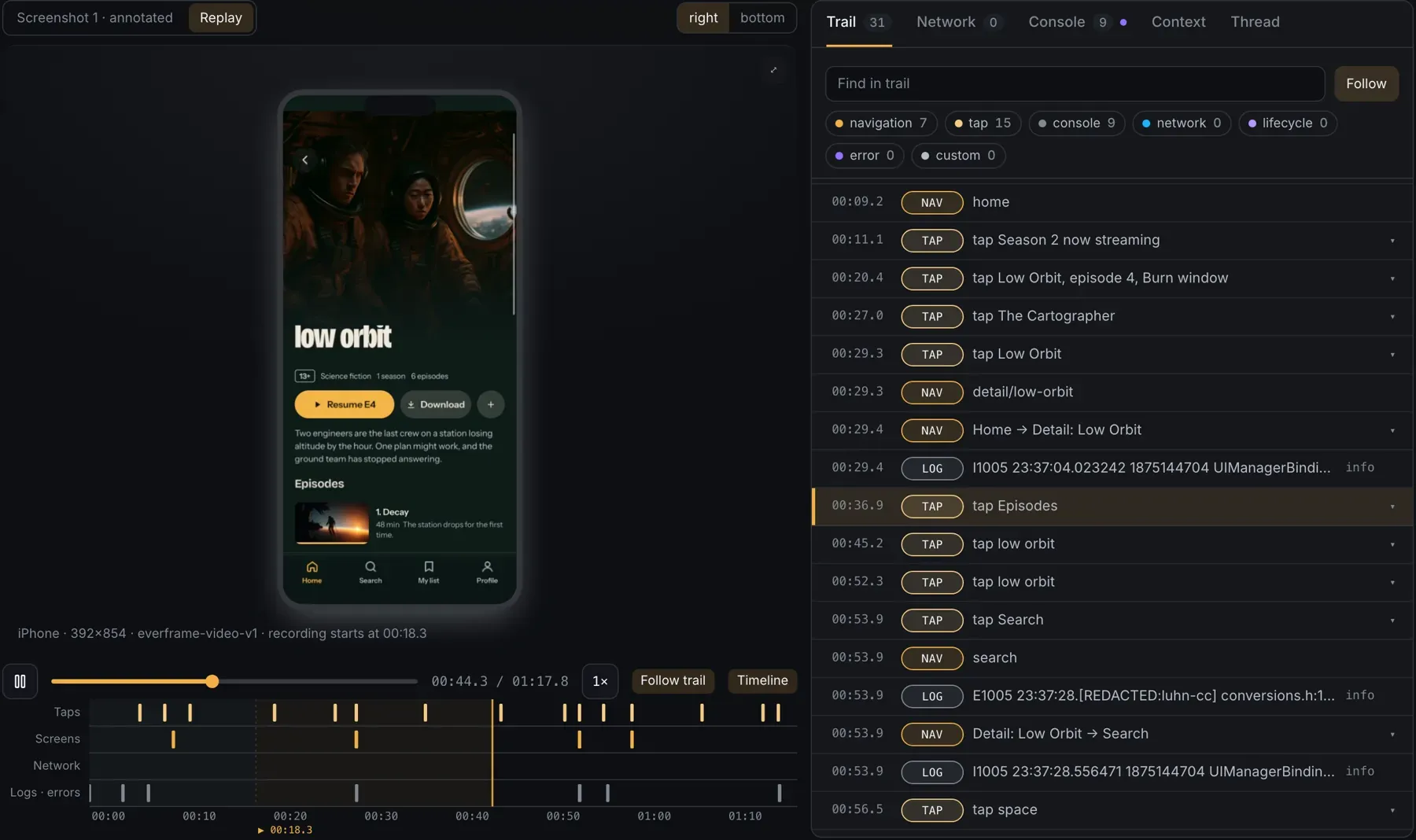
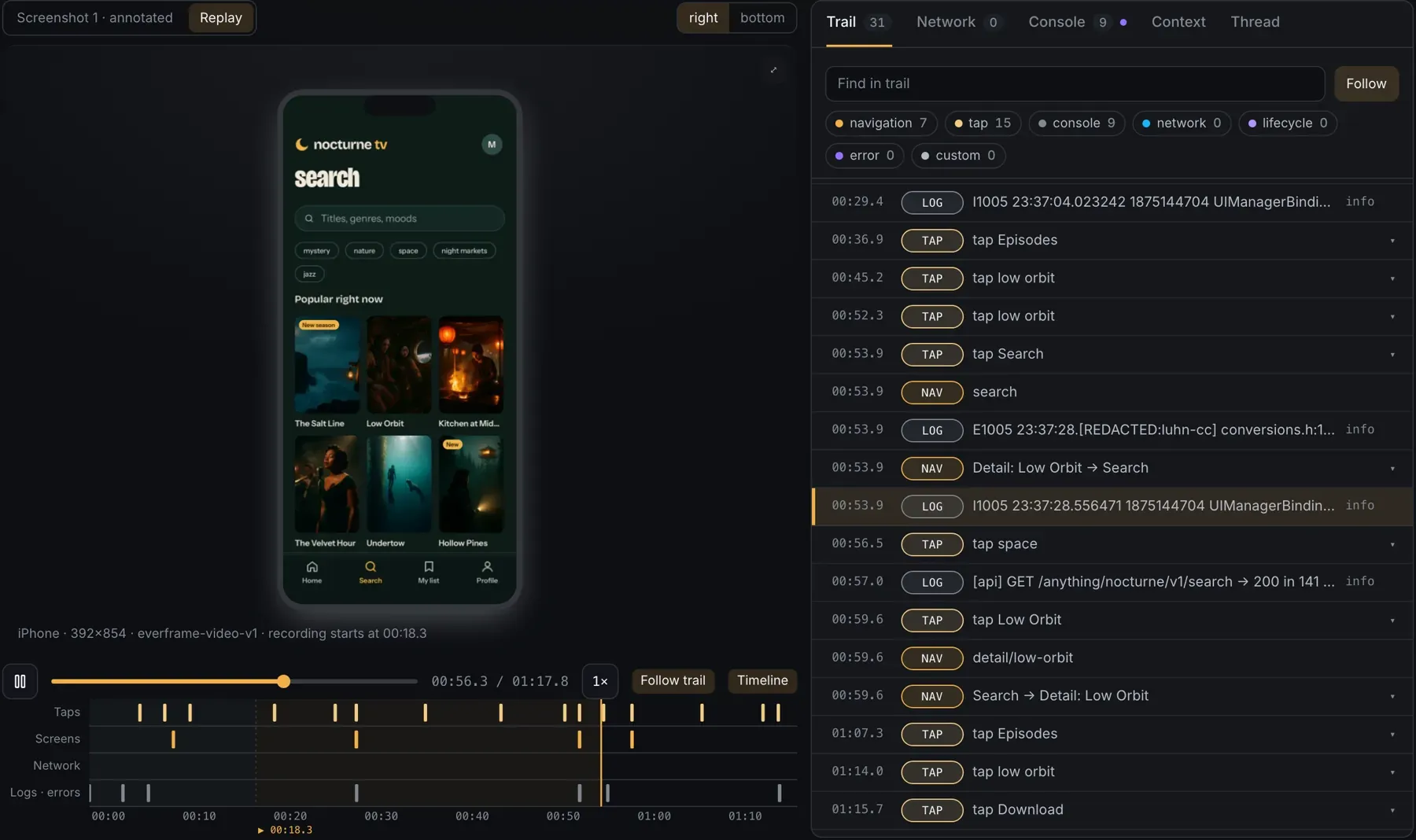
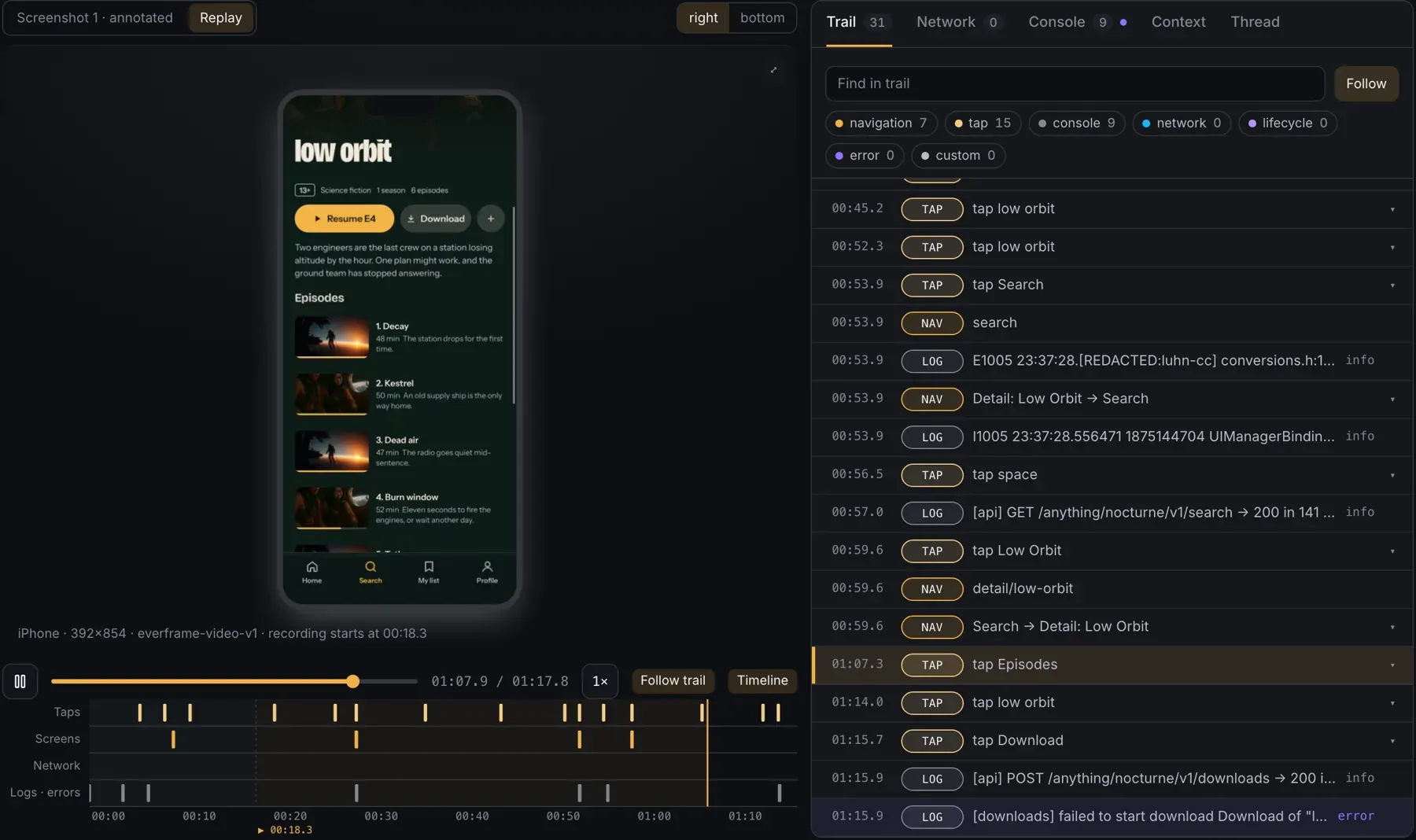
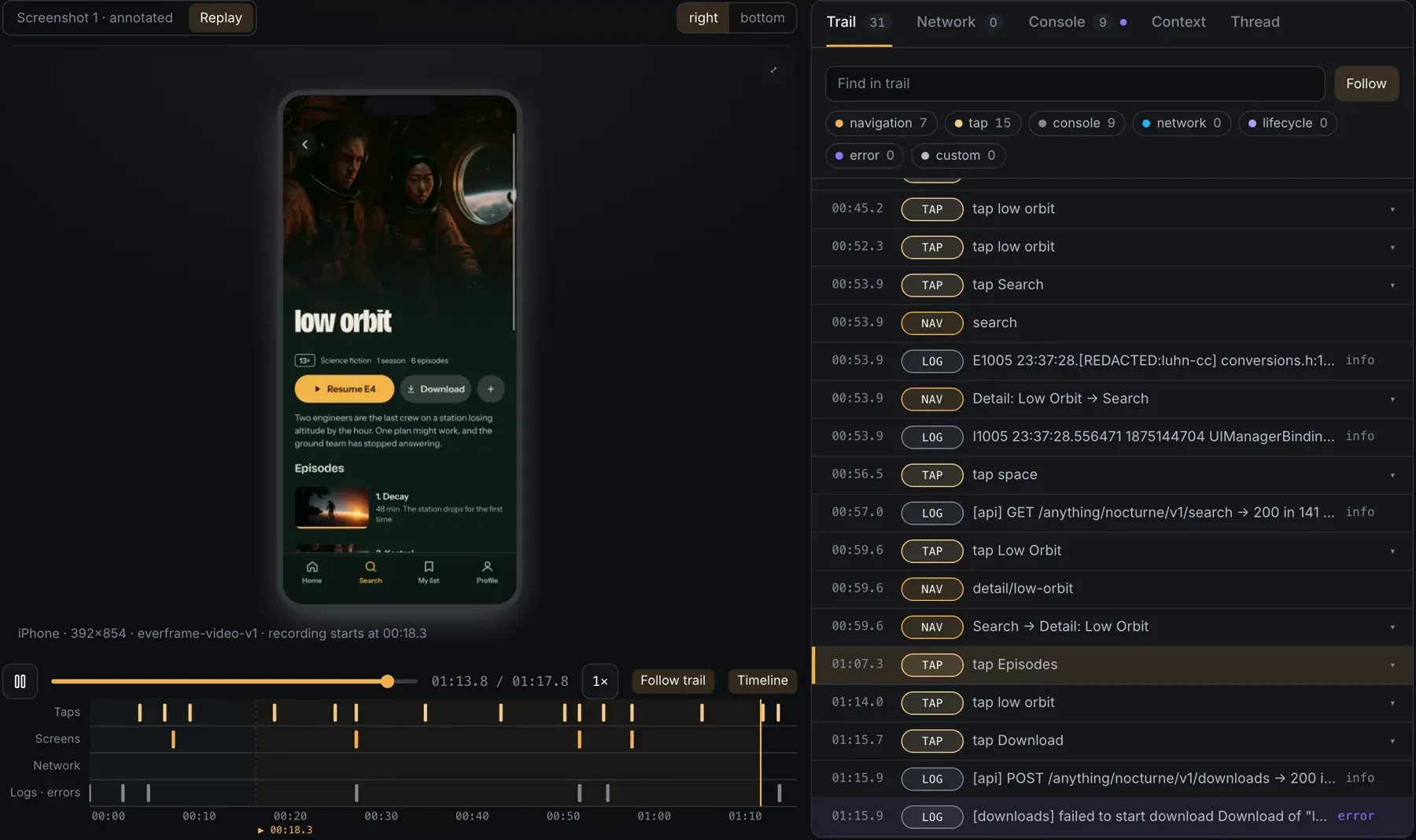
    Every tap, remote press, screen and log goes into a rolling buffer on the device as it happens. Nothing leaves it until someone reports.

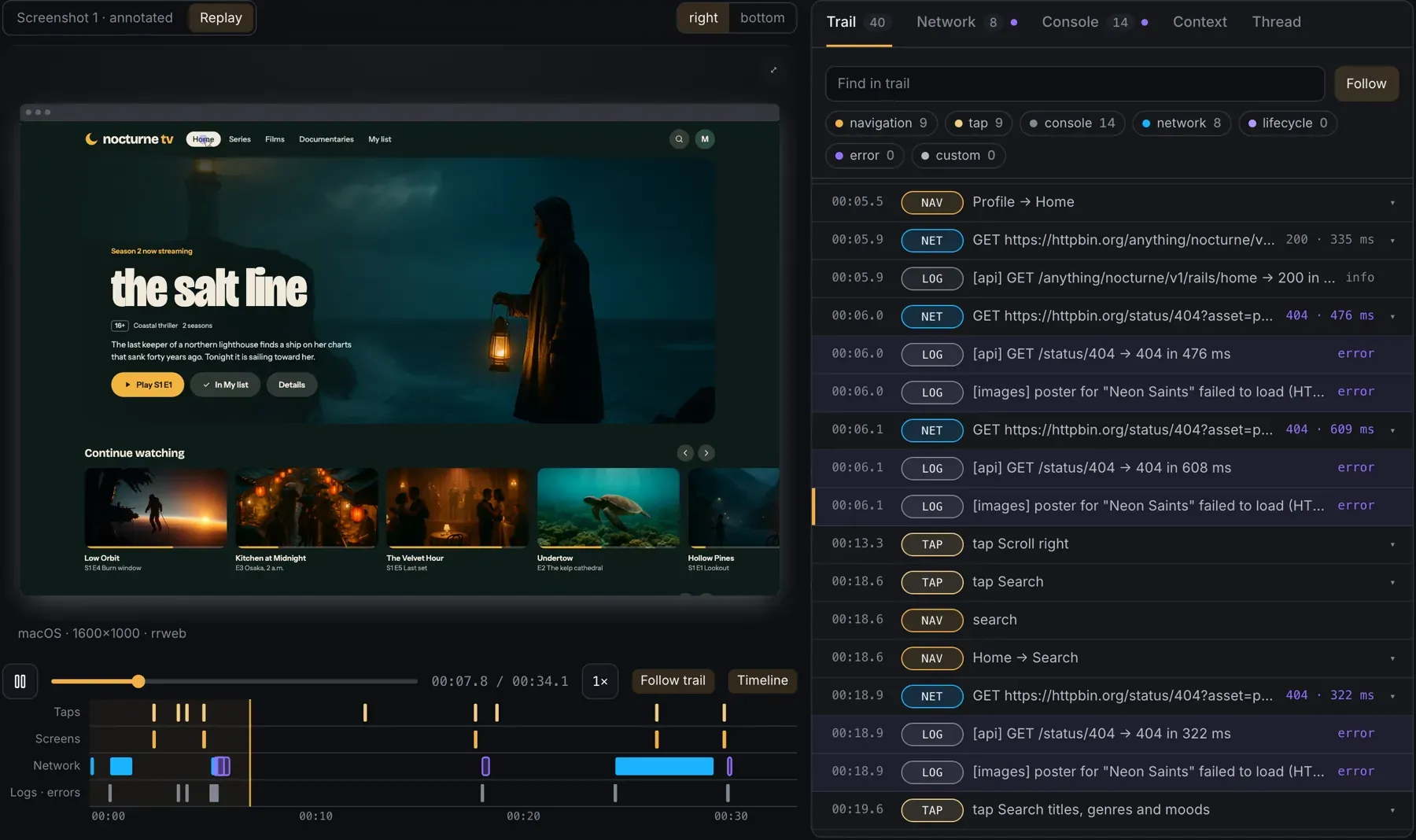
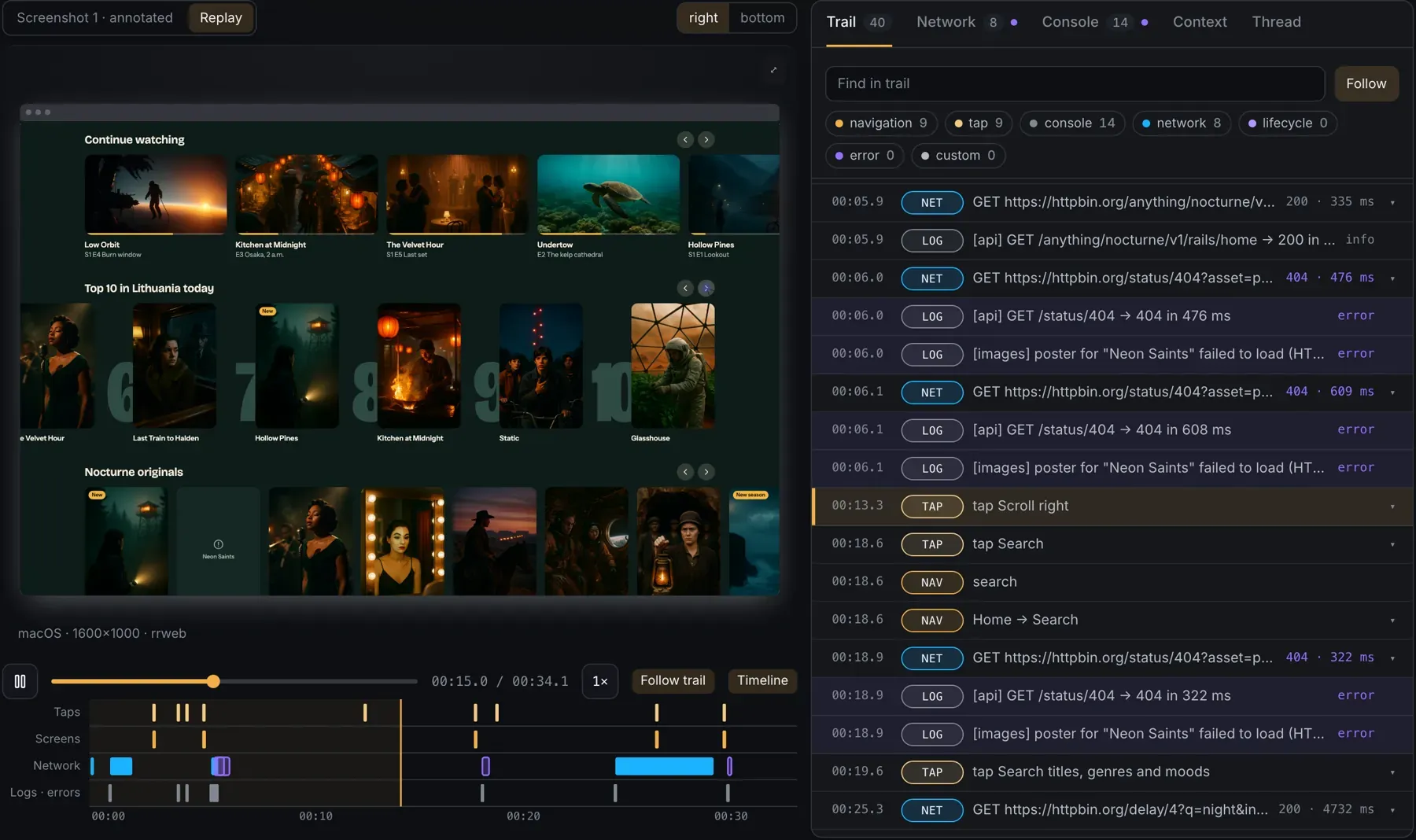
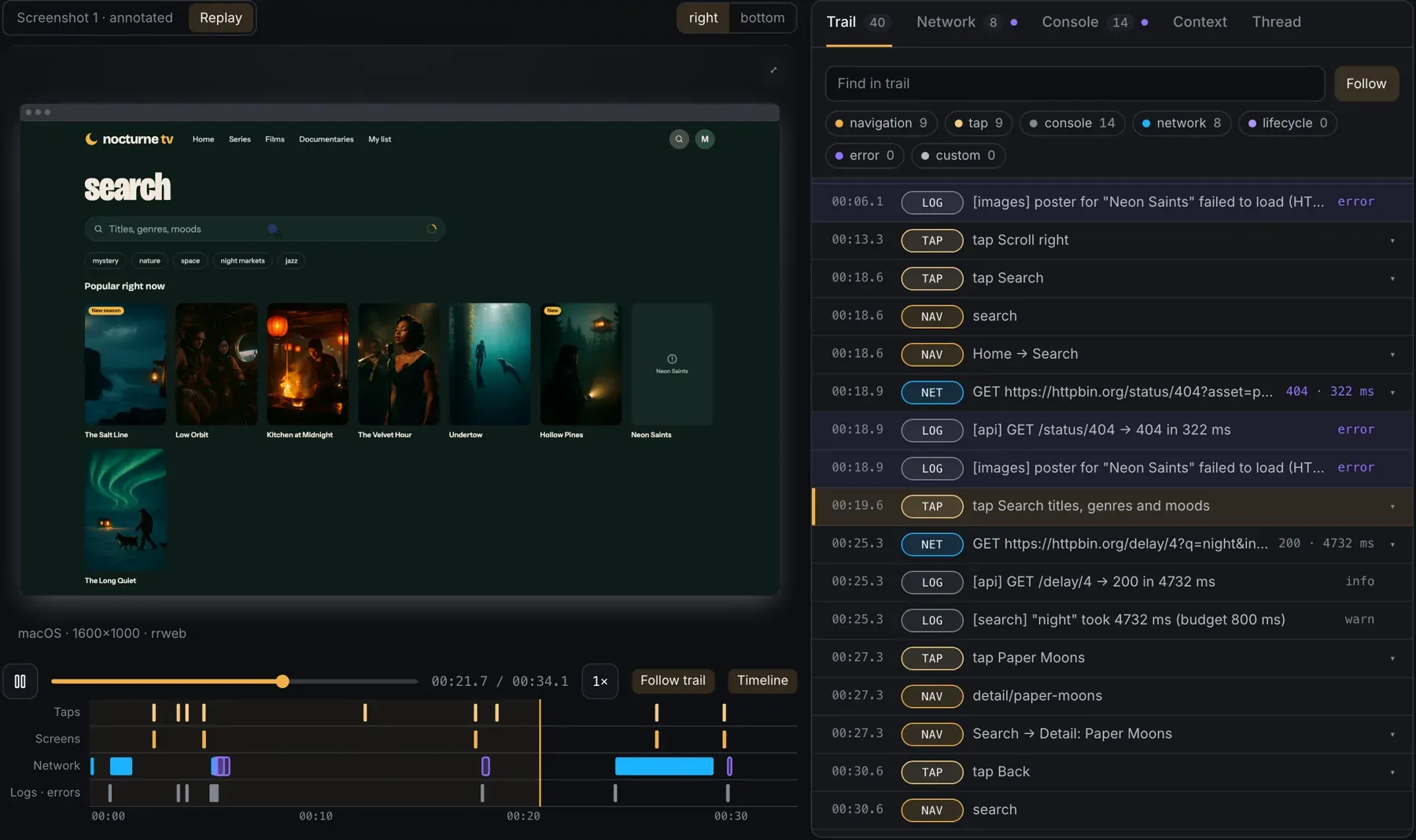
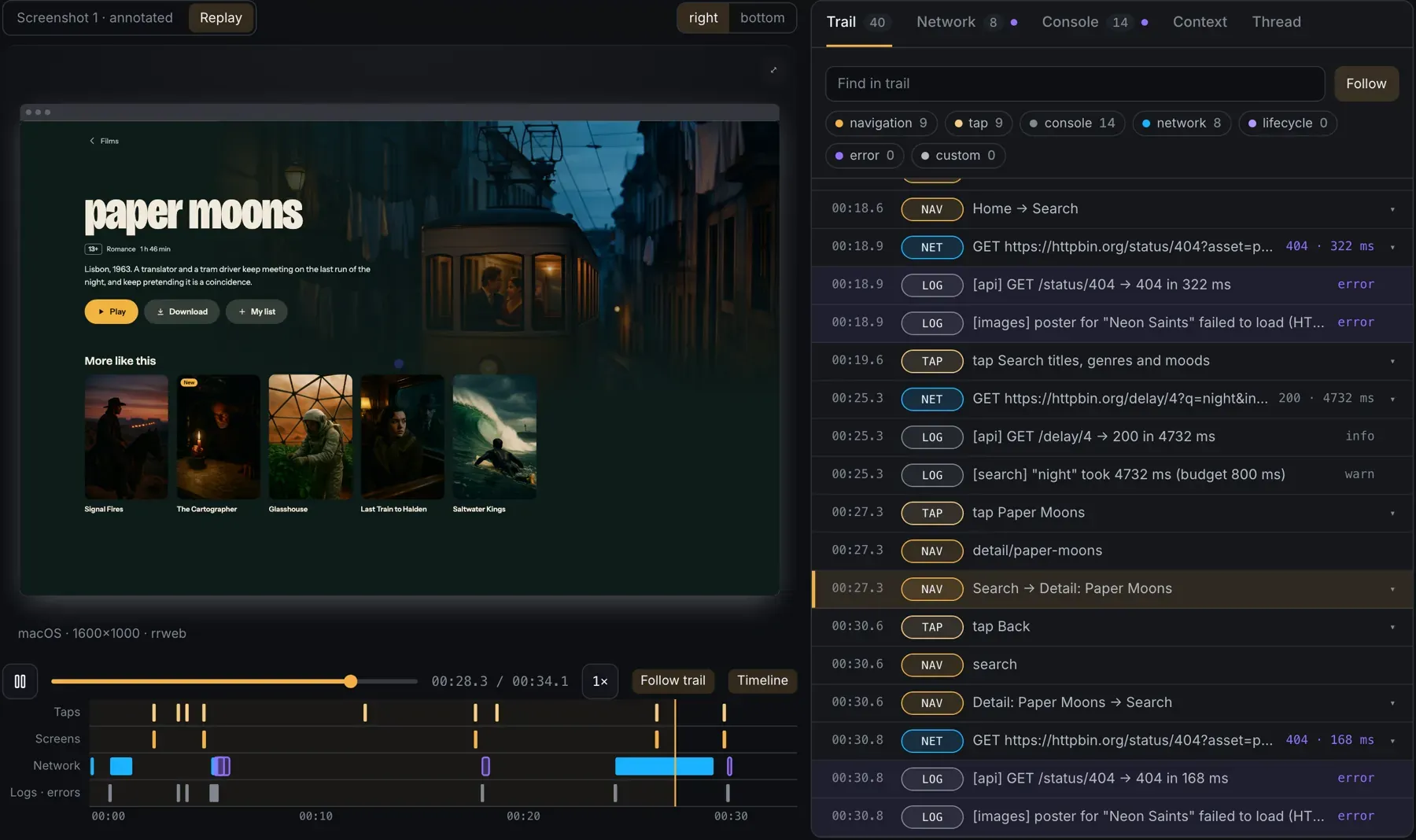
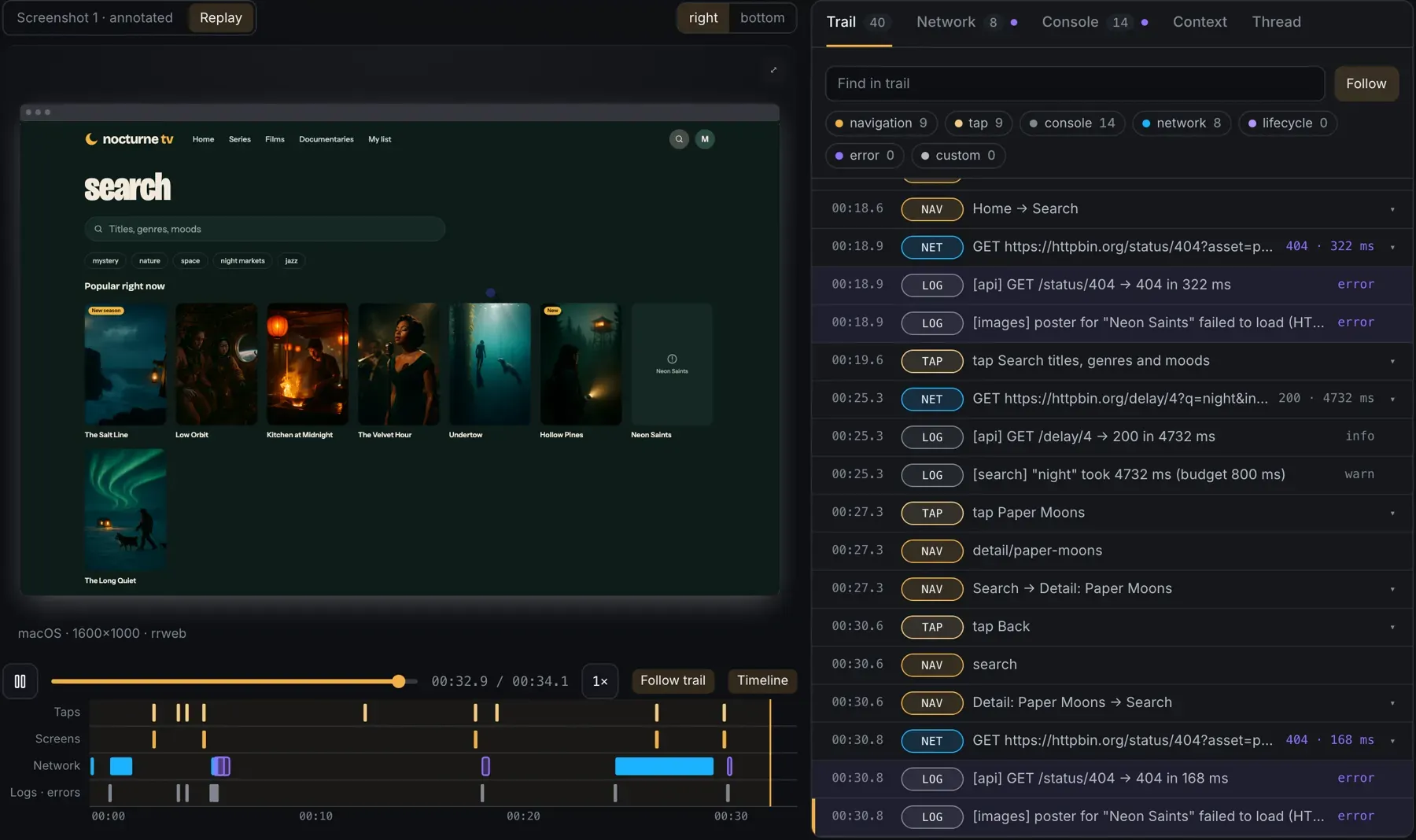
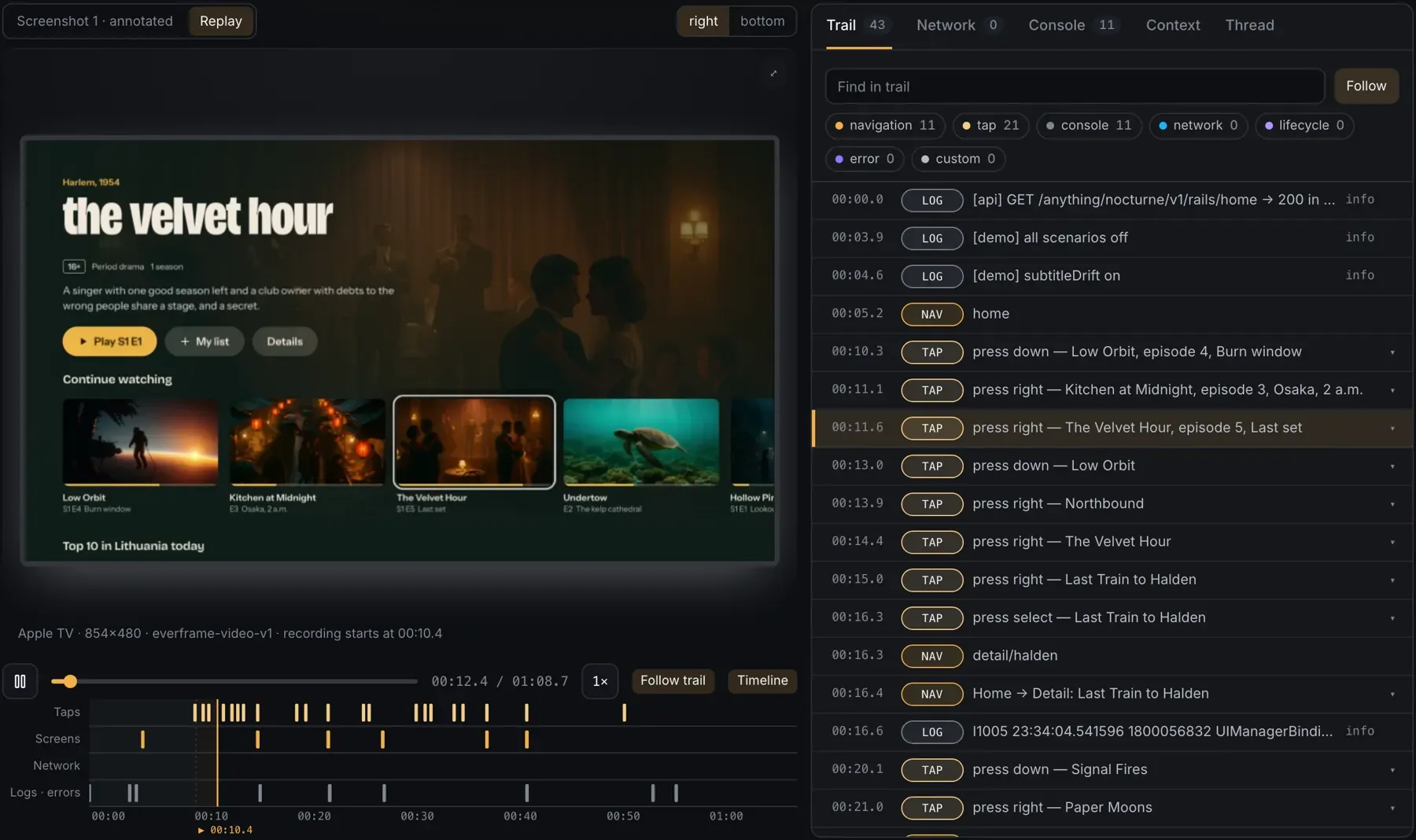
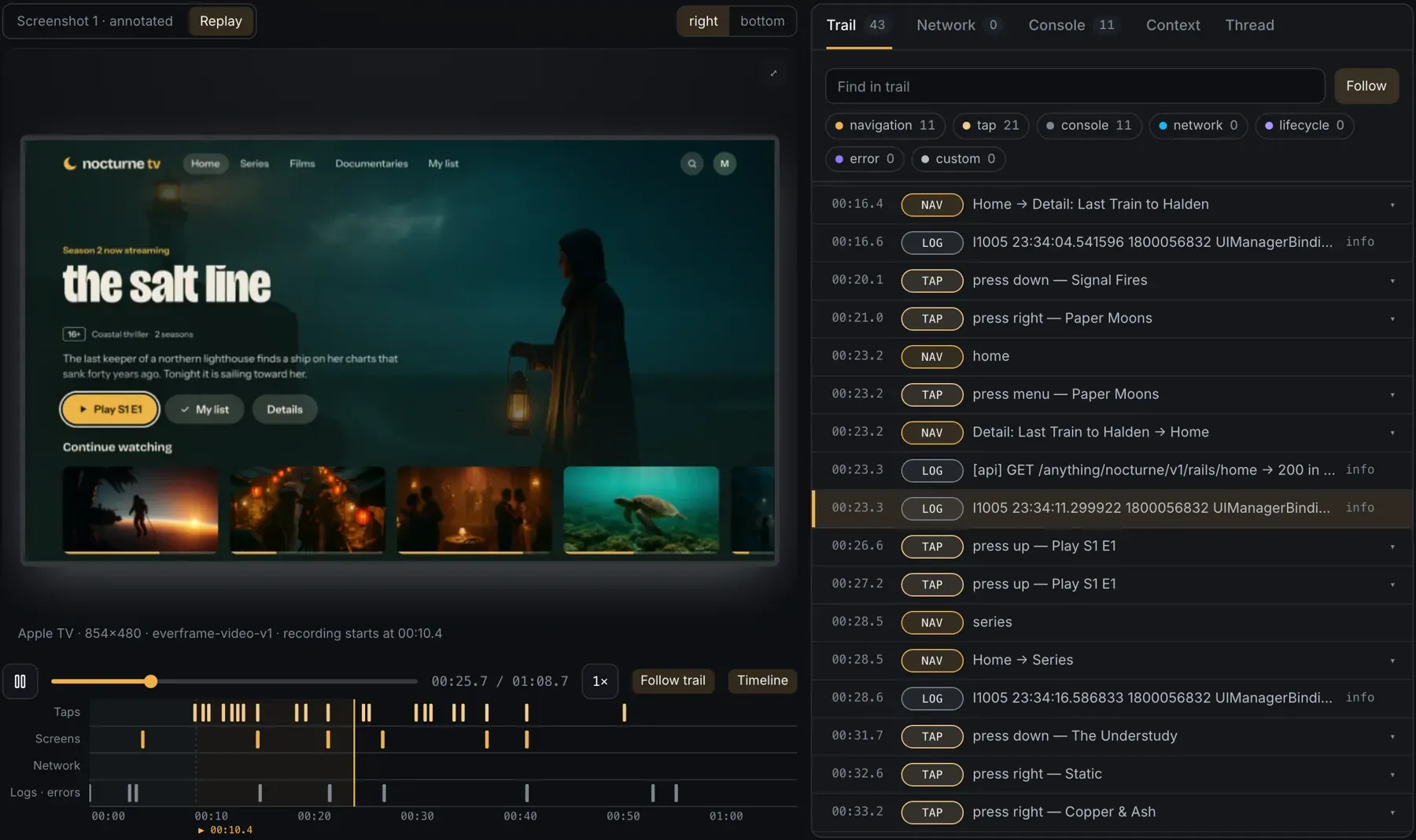
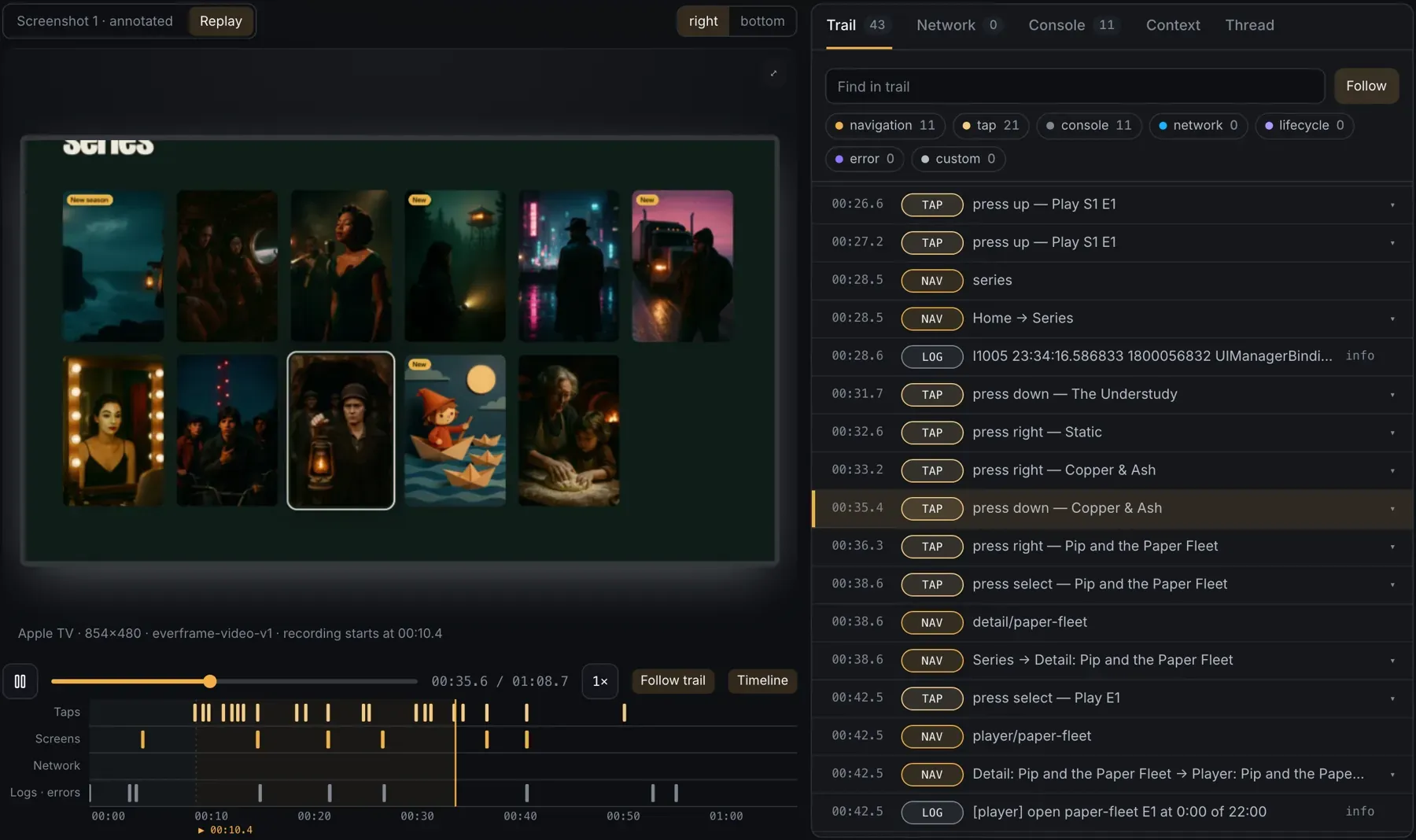
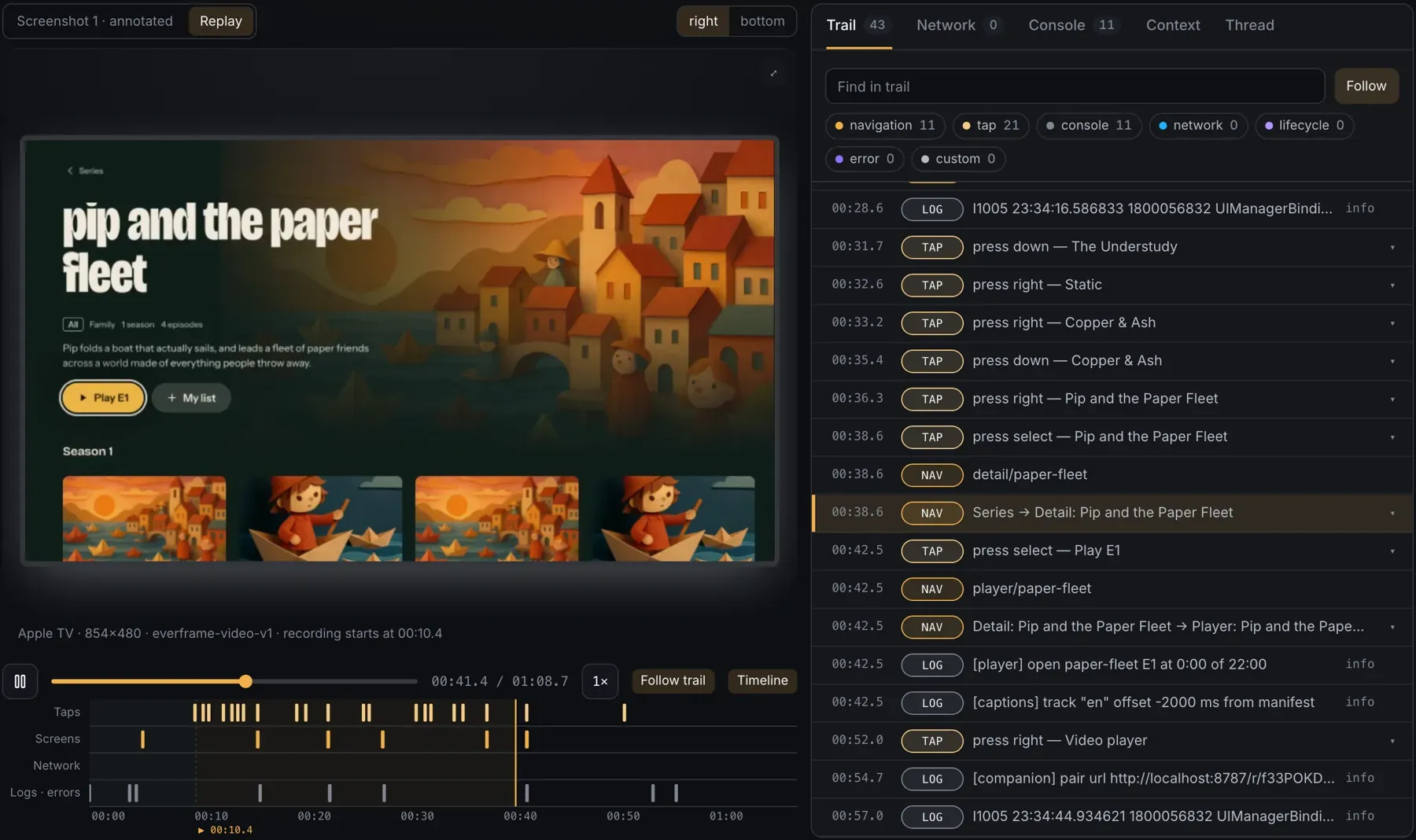
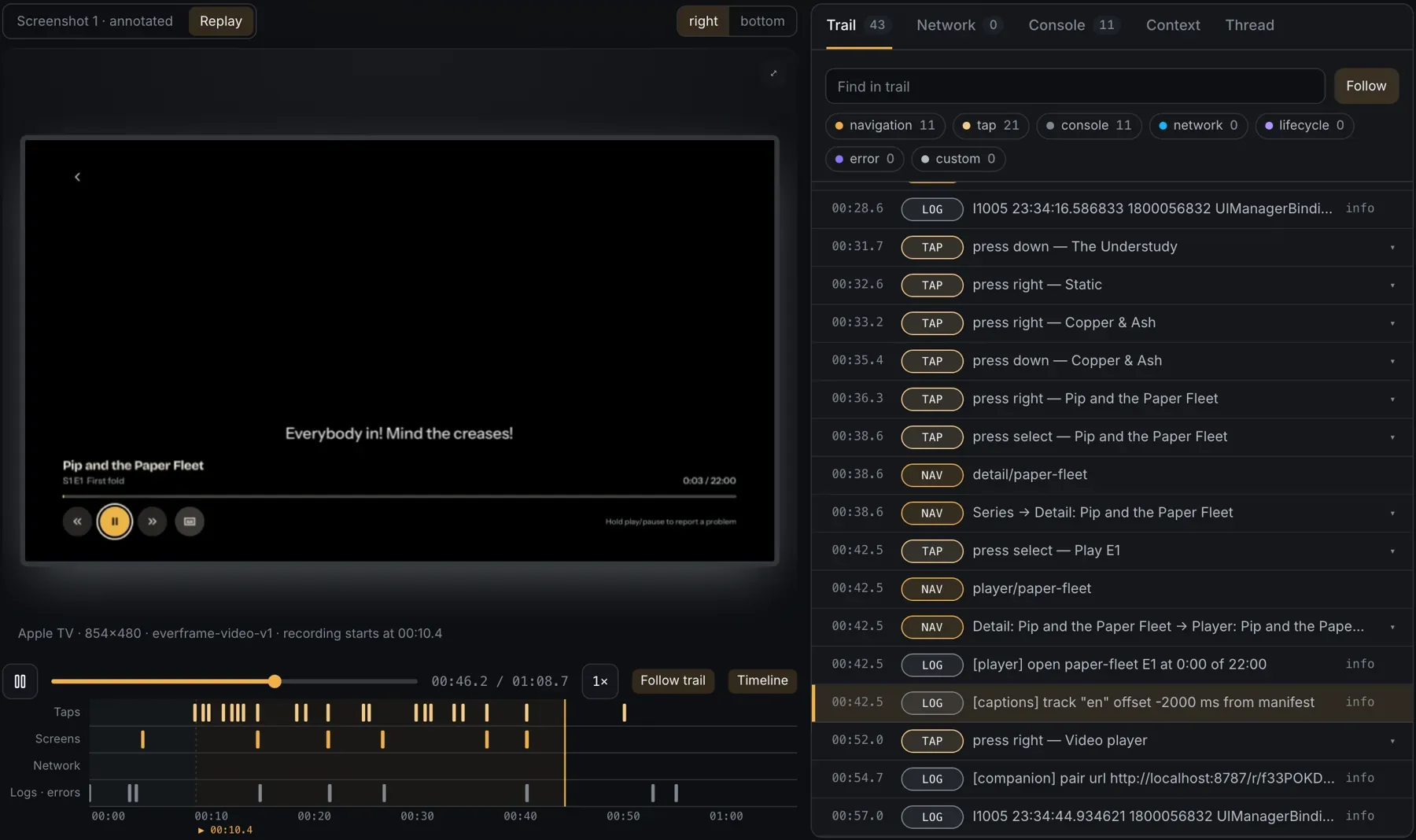
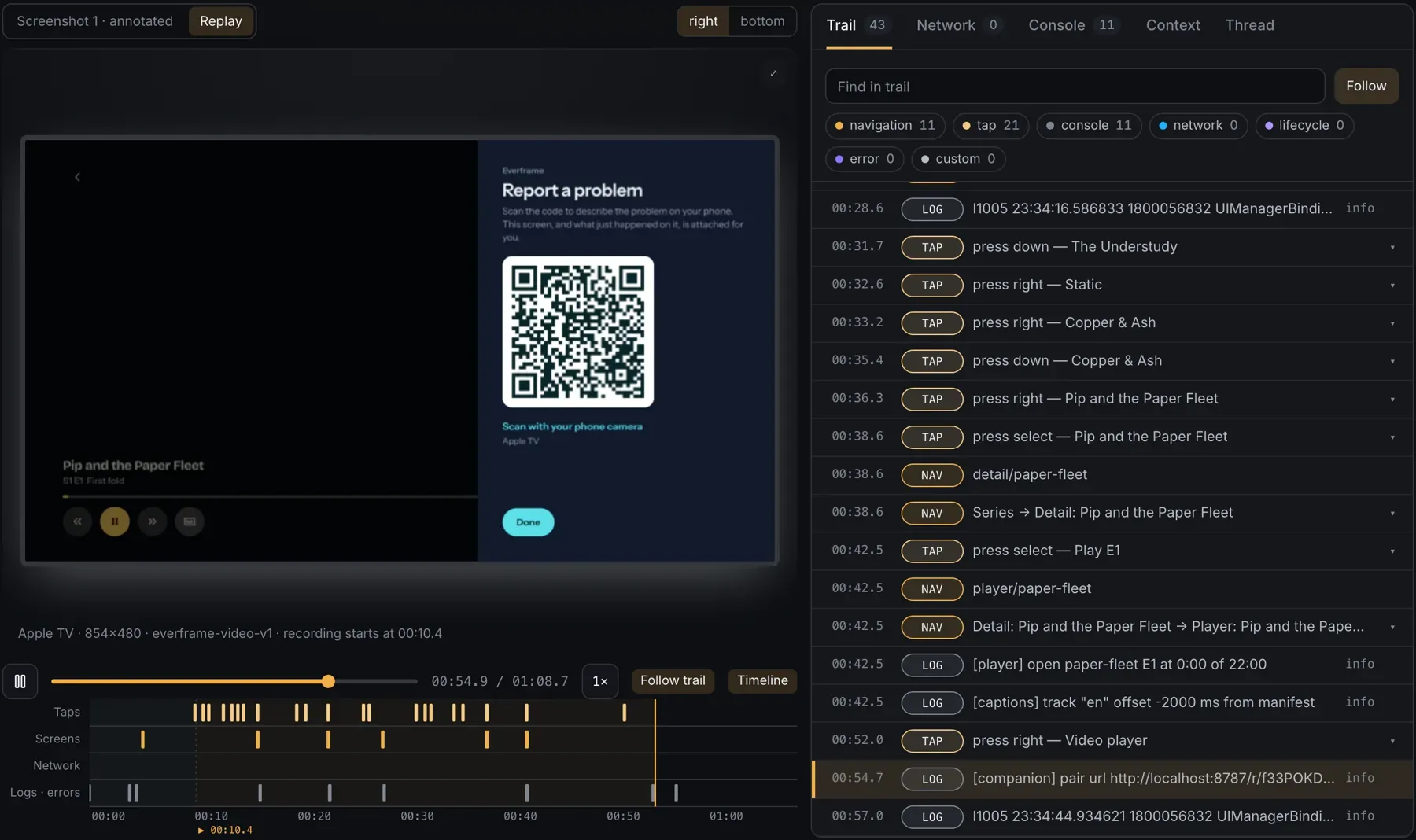
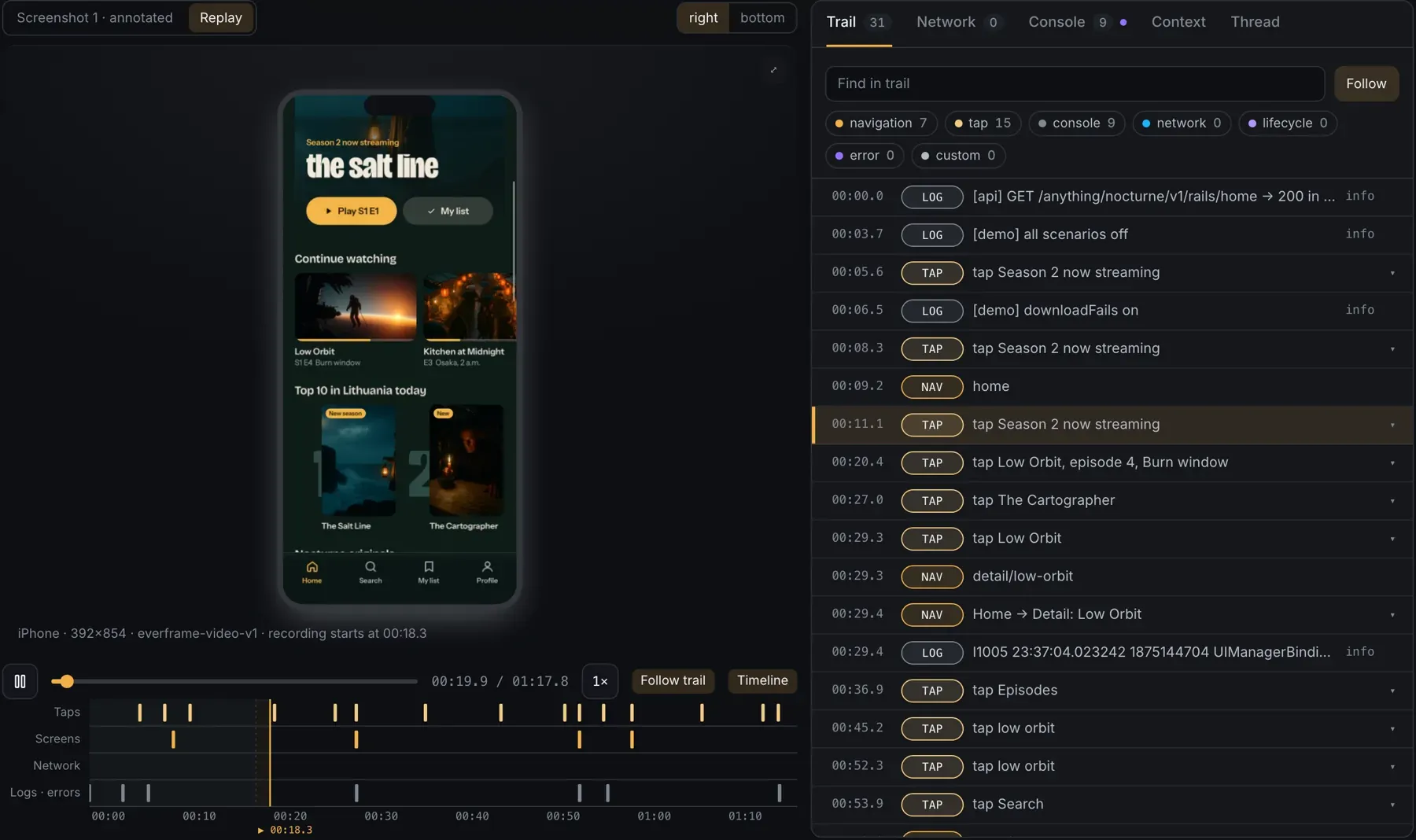
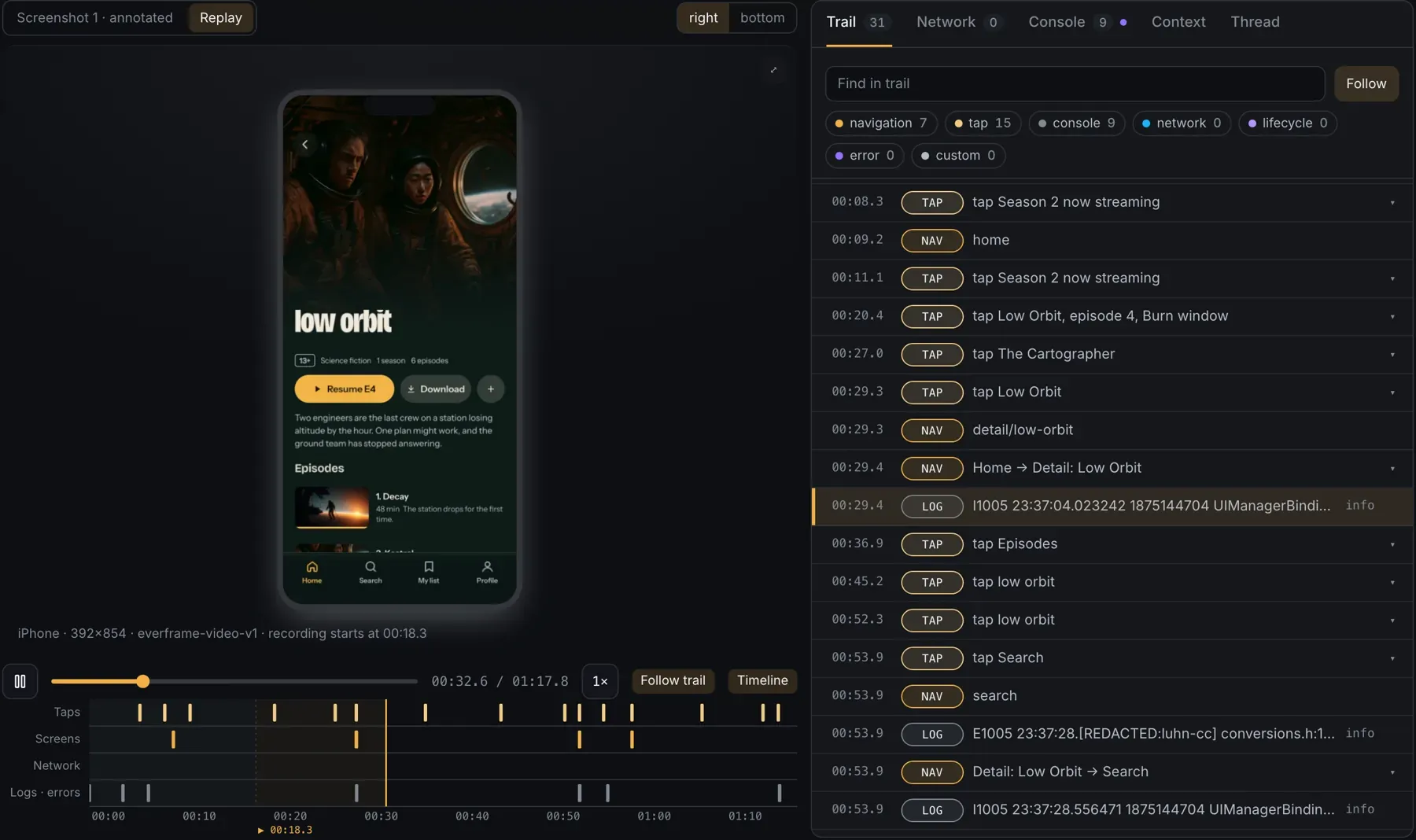
    Everframe dashboard replaying a web session with rrweb while Follow trail highlights taps, navigations, requests and logs, including failed poster requests, moment 1 of 6.Everframe dashboard replaying a web session with rrweb while Follow trail highlights taps, navigations, requests and logs, including failed poster requests, moment 2 of 6.Everframe dashboard replaying a web session with rrweb while Follow trail highlights taps, navigations, requests and logs, including failed poster requests, moment 3 of 6.Everframe dashboard replaying a web session with rrweb while Follow trail highlights taps, navigations, requests and logs, including failed poster requests, moment 4 of 6.Everframe dashboard replaying a web session with rrweb while Follow trail highlights taps, navigations, requests and logs, including failed poster requests, moment 5 of 6.Everframe dashboard replaying a web session with rrweb while Follow trail highlights taps, navigations, requests and logs, including failed poster requests, moment 6 of 6.

    The same trail is recorded on every platform:

  2. When it crashes

    Crashes report themselves.

    The same SDK is also your crash and error monitor. Uncaught exceptions and crashes, including native crashes on iOS and tvOS and ANRs and low-memory kills on Android, are captured without anyone pressing a button, mapped to your source once your build uploads its symbols, and grouped by cause. Each one keeps its trail and device, and on the web a fixed error that comes back in a later release can reopen as regressed.

    Everframe error page for a React error, Maximum update depth exceeded: 12 events from 4 users in version 3.0.0. The stack trace folds React's frames away and opens the frame in your code, src/player/hooks/useLayoutGlide.ts at line 161, with the source around it. Beside it, the event's user, browser, system, version, route and SDK, and the spread across all events.
  3. While you test

    Your team just shakes.

    Link a test phone or TV to yourself once. From then on, a shake, or holding Play/Pause on the remote, files a private draft with the screenshot, replay and logs. You title it on the dashboard and keep testing. Your users’ release builds don’t change.

    1. 1 Link it once

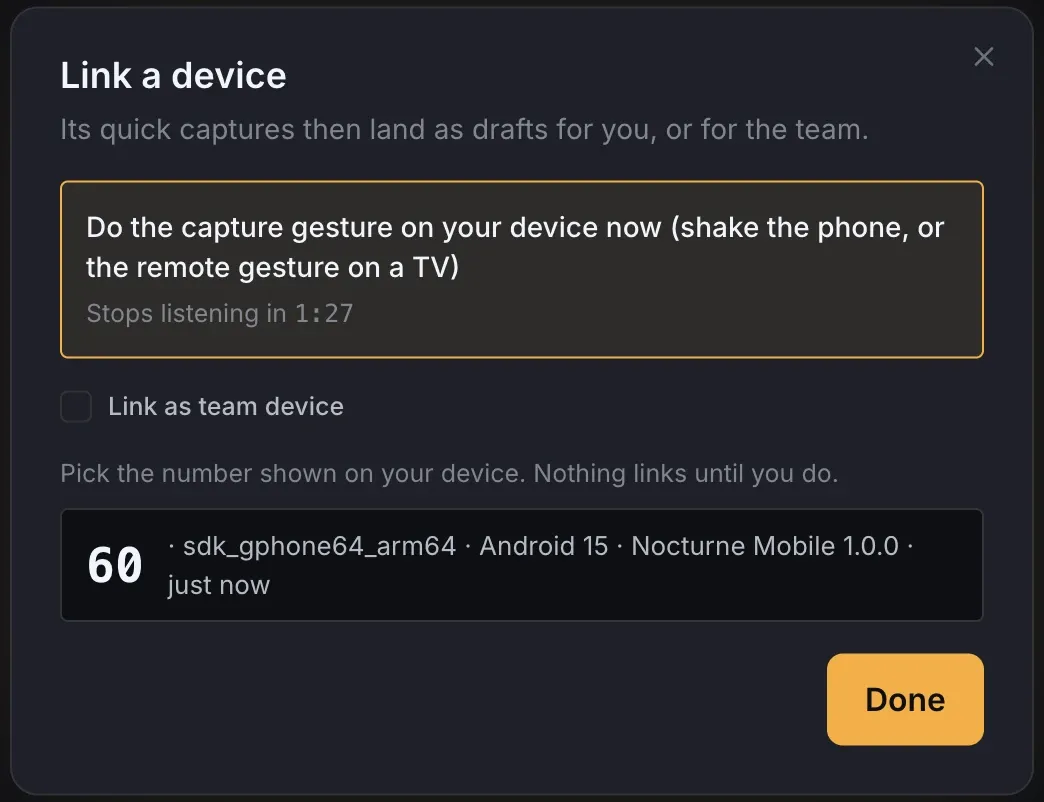
      Everframe Link a device dialog listing an Android phone with the matching number 60.
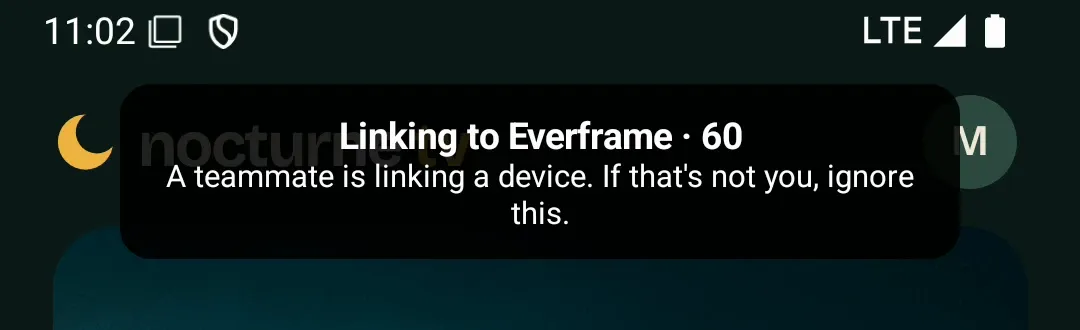
      The phone at the same moment, showing Linking to Everframe · 60.

      Do the gesture on the device, then click the number it shows. Nothing links until you do.

    2. 2 Shake, or hold Play/Pause

      Nocturne TV on an Android phone with the toast Captured · Steve after a shake.

      No form on the device. On TVs the gesture is yours to change, recorded from a real remote.

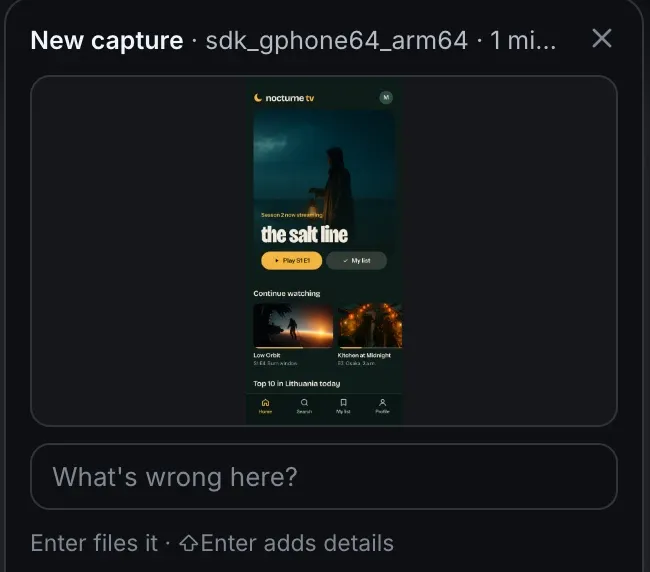
    3. 3 Title it on the dashboard

      The dashboard's New capture card with the phone's screenshot and a What's wrong here? title field.

      Or link a shared QA device to the team, and its captures land in the inbox for anyone to file.

    Phones and tablets, Android TV, Apple TV and Vega OS. In a simulator or emulator, press Shift+B. How linking works

  4. When a user reports

    One tap. Circle it. Send.

    The screenshot is taken before the reporter opens. Users circle what’s wrong and say what they expected.

    Try it. Press Report a bug, click the screenshot to circle the empty Neon Saints poster, give it a title and send.

  5. On send

    Watch the bug happen.

    Each report lands with its replay beside the trail. Five devices, five real reports.

    1 / 5
    • Report Neon Saints poster never loads with an rrweb replay of the web app and its trail.
      Nocturne TV on the web with the Neon Saints poster missing from the originals row.

      WEBNeon Saints poster never loads

    • Report Download fails on Low Orbit with the iPhone replay and trail.
      iPhone showing the Low Orbit download error.

      IPHONEDownload fails on Low Orbit

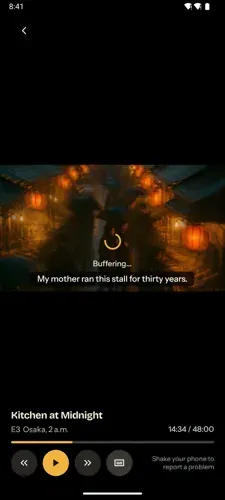
    • Report Kitchen at Midnight freezes on buffering with the Android replay and trail.
      Android phone with the player stuck on buffering.

      ANDROIDKitchen at Midnight freezes on buffering

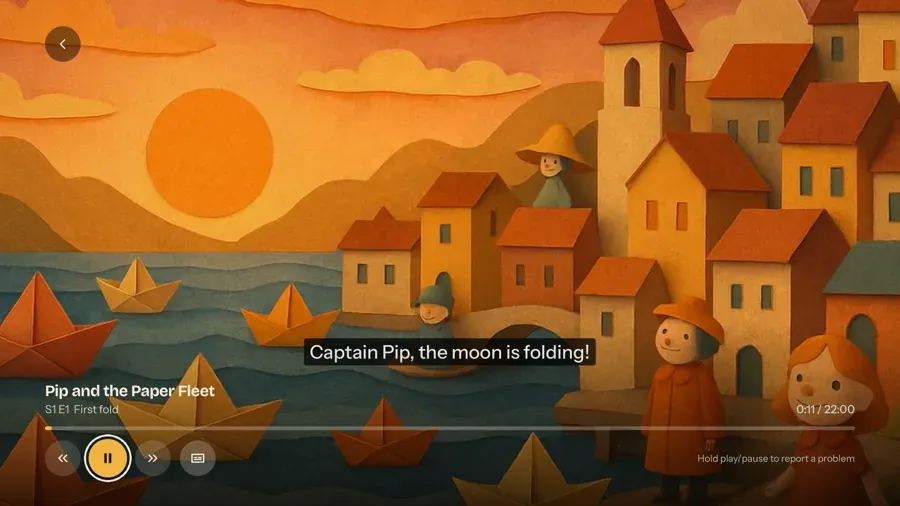
    • Report Subtitles run 2 seconds late in Paper Fleet with the Apple TV replay and trail.
      Apple TV playing Pip and the Paper Fleet with a subtitle on screen.

      APPLE TVSubtitles run 2 seconds late in Paper Fleet

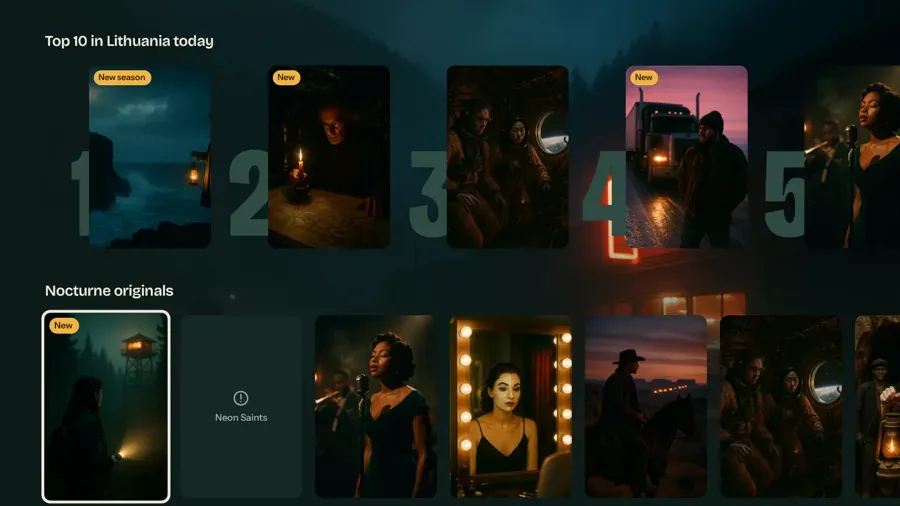
    • Report Neon Saints poster is blank with the Android TV replay and trail.
      Android TV with an empty Neon Saints tile in Nocturne originals.

      ANDROID TVNeon Saints poster is blank

  6. On arrival

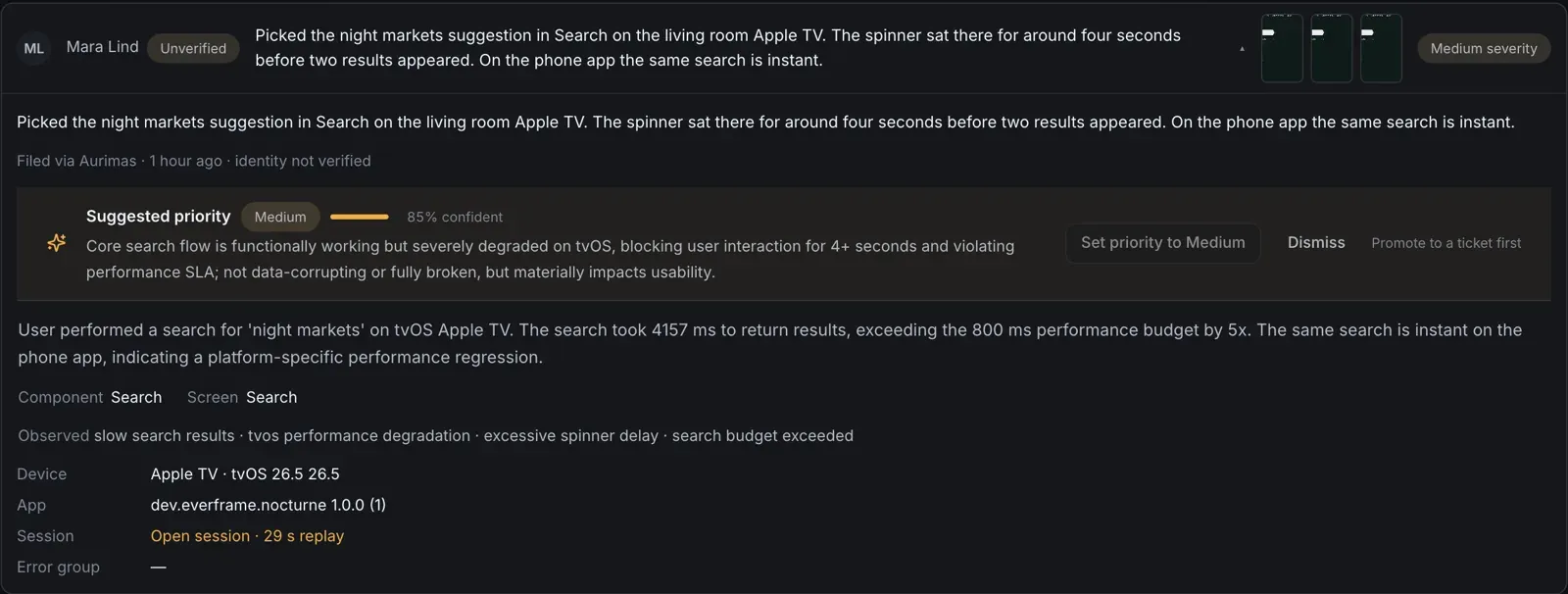
    Triaged before you open it.

    A summary, a suggested priority and similar reports, the moment it lands. You make the call.

    Suggested priority Medium at 85% confidence for a slow Apple TV search, 4157 ms against an 800 ms budget.
  7. Same day

    Every platform, one board.

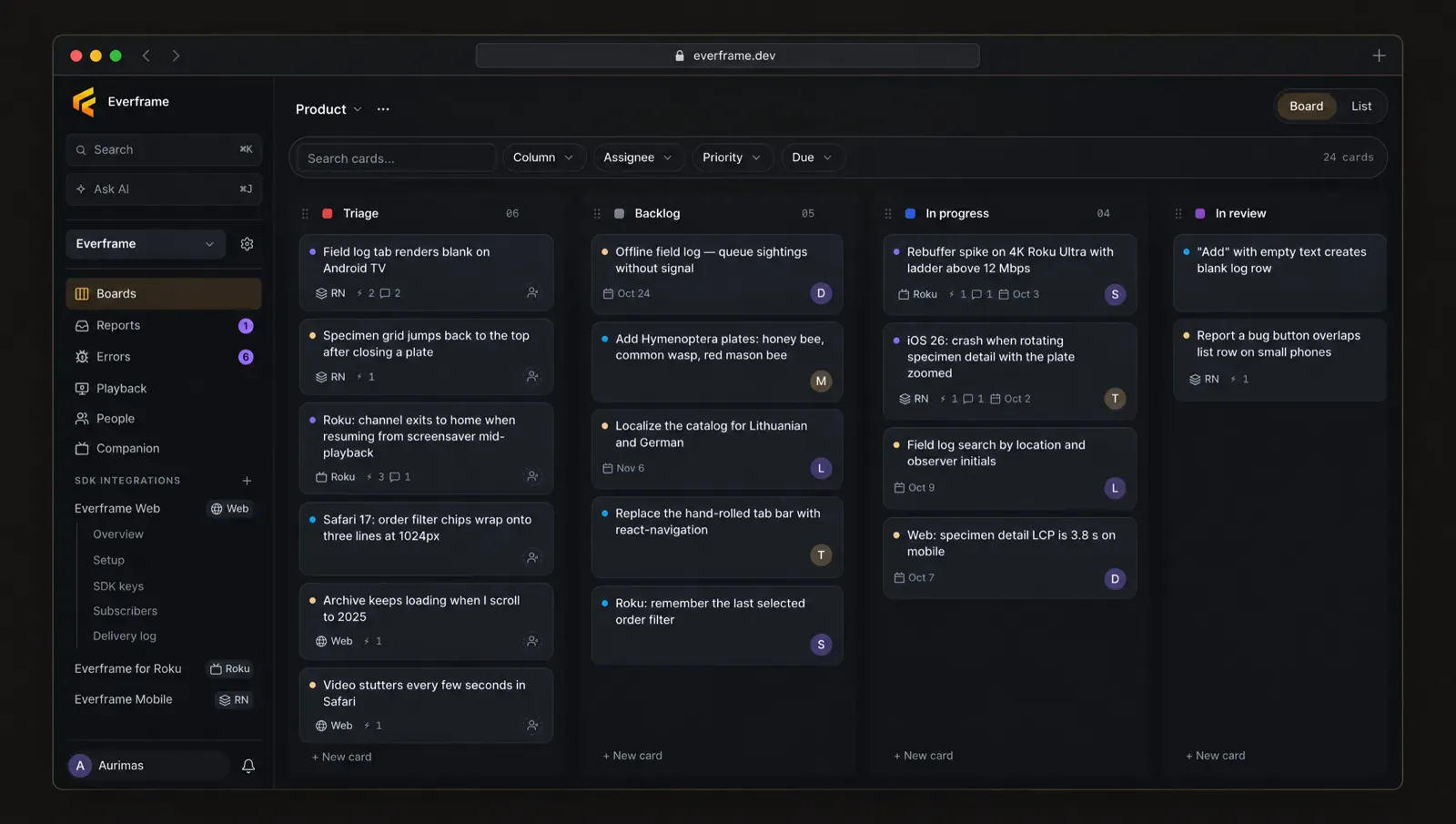
    Assign, schedule and discuss. TV, phone and web bugs move through the same columns.

    Board with Triage, Backlog, In progress and In review columns of bug cards from Roku, React Native and web.

Drop it into any stack.

Eight SDKs, one report format. Pick yours.

// npm
npm i @everframe/react
Package
sdk-react
Stack
React, TypeScript
Requires
React 18+

All SDKs and setup guides

How it compares.

Crash monitoring, QA capture and in-app bug reports usually mean two or three tools. Everframe is one SDK for all three, on phones, the web and TV.

Capability EverframeSentryInstabugShake
One report with everything attached: component, screenshot, console, network, breadcrumbs, device (replay when enabled) yes no no partial
Phone, tablet & web yes yes yes yes
TV & connected devices (tvOS, Android TV, Fire TV, Roku, Tizen, webOS, Vega OS preview) yes partial no no
In-app reporter: record + annotate yes no yes yes
Session replay on web and native (wireframe, not pixels, on native) yes partial partial partial
AI triage on arrival (per project): priority, confidence, summary, duplicates yes partial partial no
Ask AI across the project, answers cite board cards yes no no no
Agent runs: a sandboxed coding agent opens the pull request from a ticket yes partial partial no
Session Vitals (beta, web, per app): sampled playback health, memory and responsiveness per session yes no no no
Pass-through: signed webhooks, you own the data yes no no no

A half mark means partial or a paid add-on. This reflects what Everframe focuses on, not a feature-for-feature audit: Sentry and Bugsnag go deeper on error monitoring. Everframe puts crashes, tester captures and user reports in one place, each with the evidence attached.

Tool-by-tool comparisonsGuides on bug reporting and QA

Add Everframe in five minutes.

Free for 1,000 monthly active installs. Starter is $19 a month when you go to production.

  • Unlimited reports
  • Unlimited seats
  • No credit card