
This screenshot was marked up on an Android emulator and sent from the app. The boxed button calls three functions in shared Kotlin.
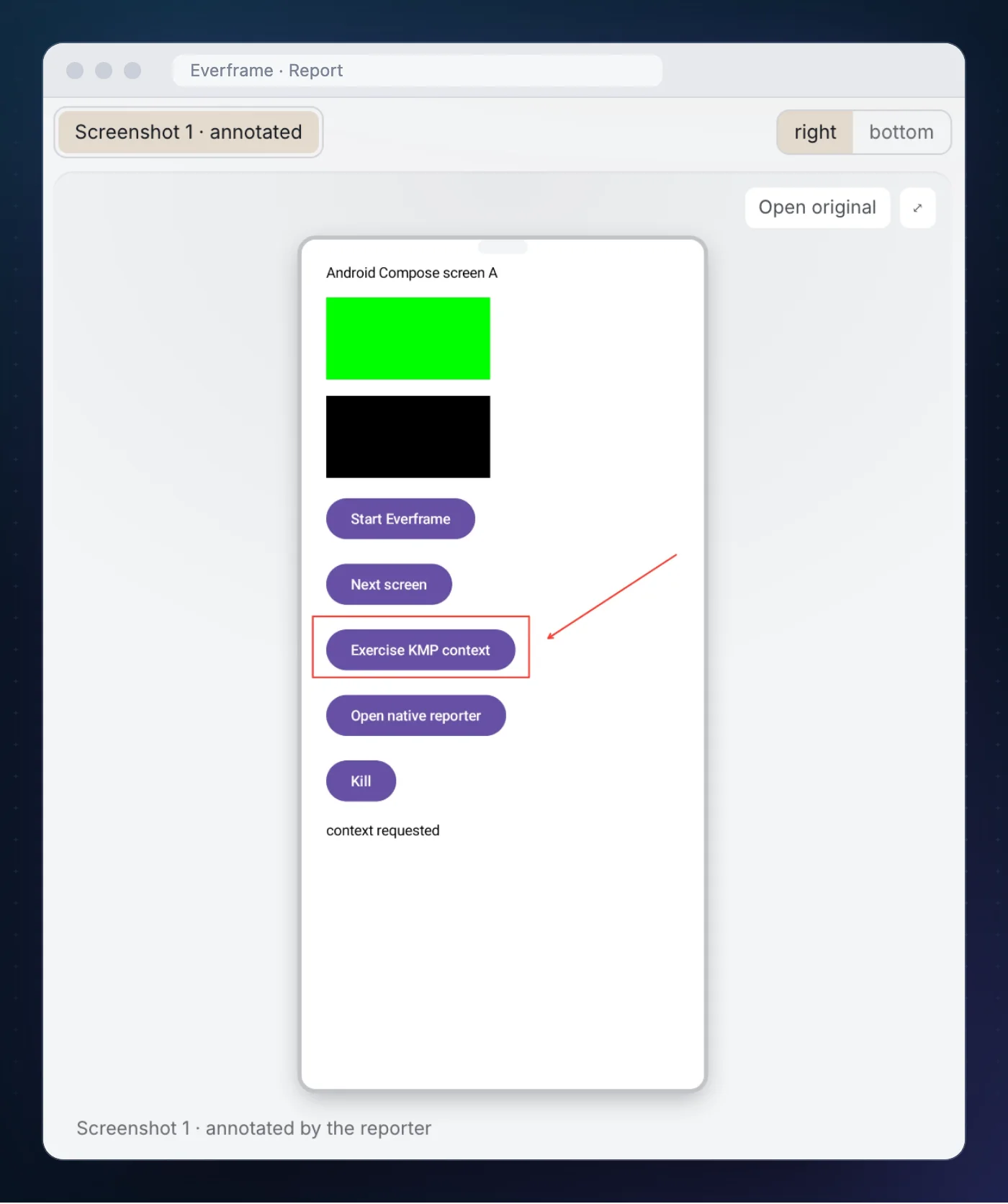
The screenshot, and the mask on it, came from the native Android SDK. The trail that arrived with it, with screen names, next screen taps and a GET catalog_fetch 503, was sent from code that could live in commonMain.
That is the whole design of the Kotlin Multiplatform bridge we have just released, and this page is one run through it on 1 October 2026.
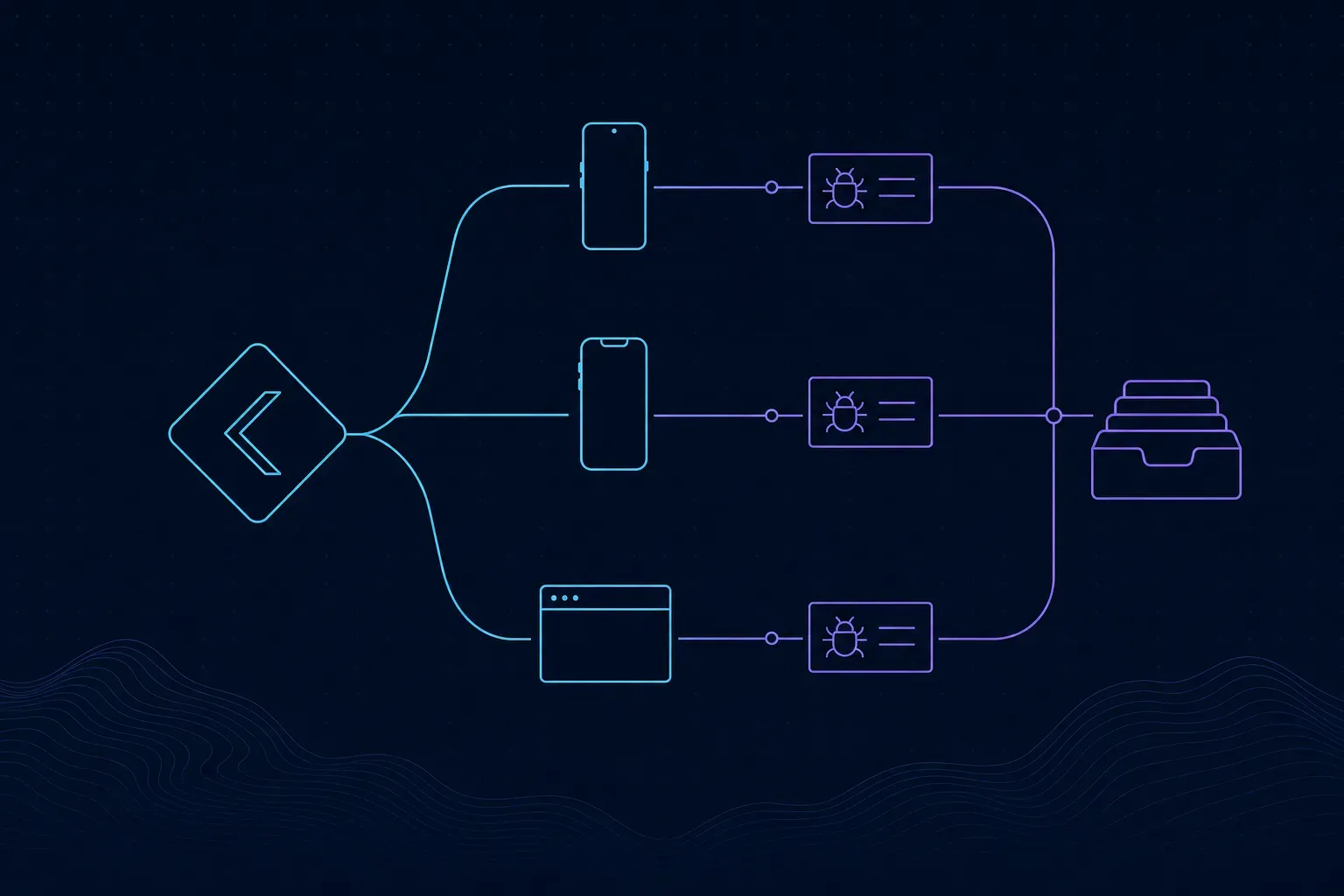
What you share, and what stays native
A Kotlin Multiplatform app shares logic and keeps a native shell. Bug reporting splits along the same line.
Shared Kotlin
When to start, which screen this is, which operation failed, which exception was caught, when to open the reporter.
Native host
The screenshot, masking of private UI, the reporter sheet, replay, device and app metadata, the outbox and delivery.
The driver
A small per-platform class that connects the two. Android, Swift and Kotlin/JS drivers ship with the module.
EverframeKmp is the shared class. It takes a driver in its constructor and forwards every call to it. On Android the driver delegates to the Android SDK. On iOS, EverframeSwiftDriver implements an Objective-C protocol exported by Kotlin/Native and delegates to the Swift SDK, so shared Kotlin never imports a Swift-only library.
Install
Create a Kotlin Multiplatform integration in the dashboard. The setup page fills the app ID and SDK key into the snippets.
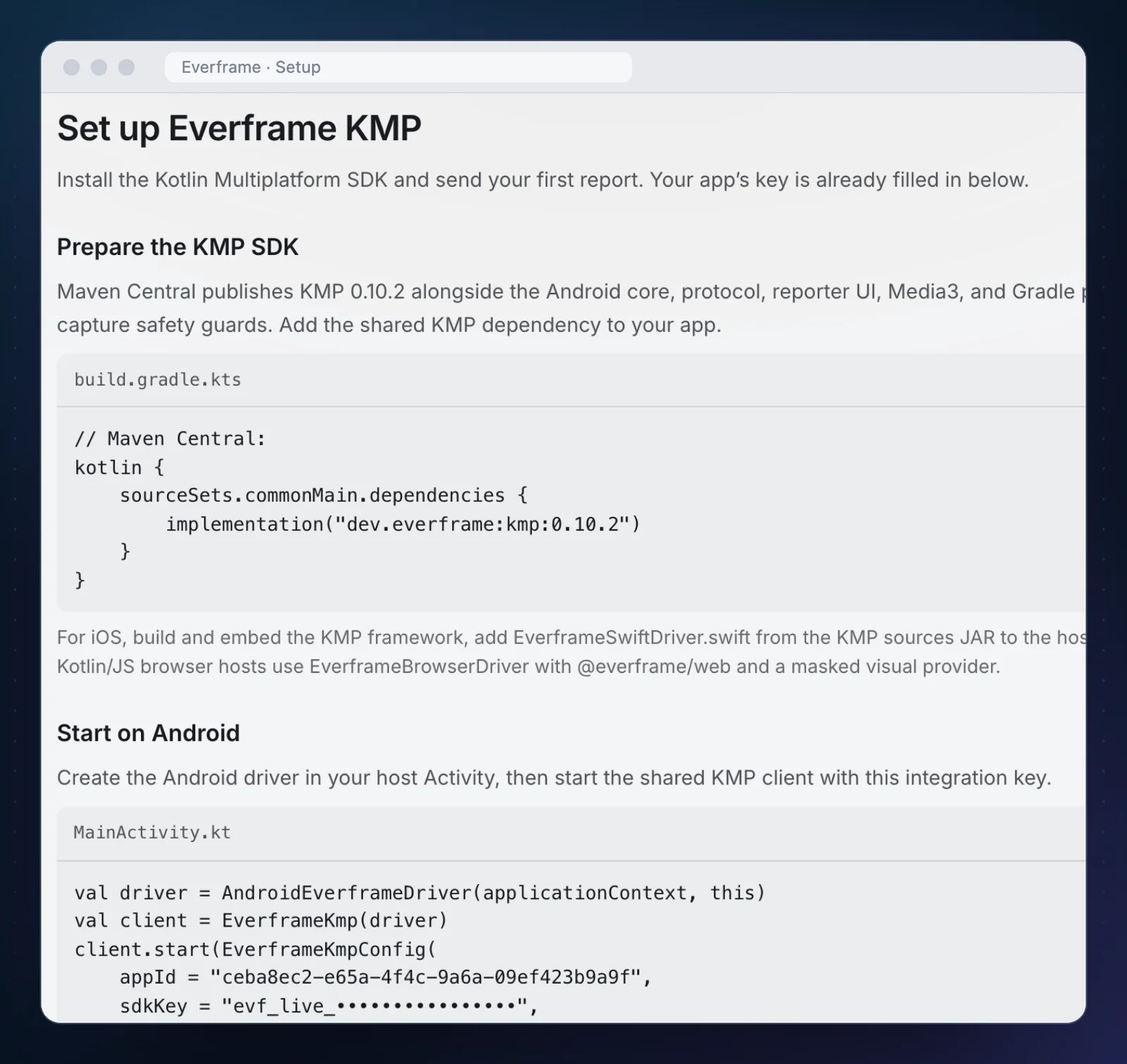
// shared module, build.gradle.kts
kotlin {
    sourceSets.commonMain.dependencies {
        implementation("dev.everframe:kmp:1.2.1")
    }
}
Gradle selects the matching platform artifact. Android needs API 24 or later, iOS needs iOS 15 or later.
The Android host
This is the whole Activity from the tester app:
class MainActivity : ComponentActivity() {
    private lateinit var driver: AndroidEverframeDriver
    private lateinit var client: EverframeKmp

    override fun onCreate(savedInstanceState: Bundle?) {
        super.onCreate(savedInstanceState)
        driver = AndroidEverframeDriver(applicationContext, this)
        client = EverframeKmp(driver)
        setContent { ProbeScene(client) }
    }

    override fun onResume() {
        super.onResume()
        driver.bindActivity(this)
    }

    override fun onStop() {
        driver.bindActivity(null)
        super.onStop()
    }

    override fun onDestroy() {
        client.kill()
        super.onDestroy()
    }
}
The bindActivity pair matters. The reporter needs a live Activity to draw over, and a retained client outlives a configuration change. Bind on resume, unbind on stop.
Starting is one call, with the integration’s values:
val started = client.start(
    EverframeKmpConfig(appId = appId, sdkKey = sdkKey)
)
start returns a Boolean. The environment defaults to production. The published native SDK owns the ingest endpoint.
The calls that live in shared code
The reporting calls in the composable need only an EverframeKmp. These are the calls behind the tester app’s buttons:
// a screen change
client.recordScreen("AndroidCompose-B")
client.addBreadcrumb("next screen", kind = "tap")

// something went wrong
client.captureHandledError("catalog_load_failed")
client.captureException(IllegalStateException("safe sample failure"))
client.recordNetworkOperation("catalog_fetch", "GET", 503, 42)

// let the person file a report
client.openReporter { outcome -> status = outcome.status }
Two of those are stricter than they look.
captureHandledError takes a stable lowercase code, not a message. "catalog_load_failed" groups cleanly and cannot leak a user’s data into an error title. When you do have a Throwable, captureException forwards it, and its message goes through the native SDK’s redaction and limits.
recordNetworkOperation takes an operation name, a method, a status and a duration. There is no URL parameter. Shared code that calls it cannot put a path, a query string, a header or a body into a report by accident. If you want full network rows on Android, that is the native SDK’s OkHttp interceptor, not this call.
Marking what must not be captured
One line in the Compose tree:
Box(
    Modifier
        .size(160.dp, 80.dp)
        .txSensitive()
        .background(Color.Magenta)
)
On Android, capture fails closed. If a screen has no sensitive markers at all, the reporter refuses the screenshot unless the host has explicitly said that route is known to be safe. A screen nobody has thought about yet does not get captured by default.
The run
Android 15 emulator, the tester app from examples/kmp-android-compose-probe, built against the local SDK source and a local dashboard.
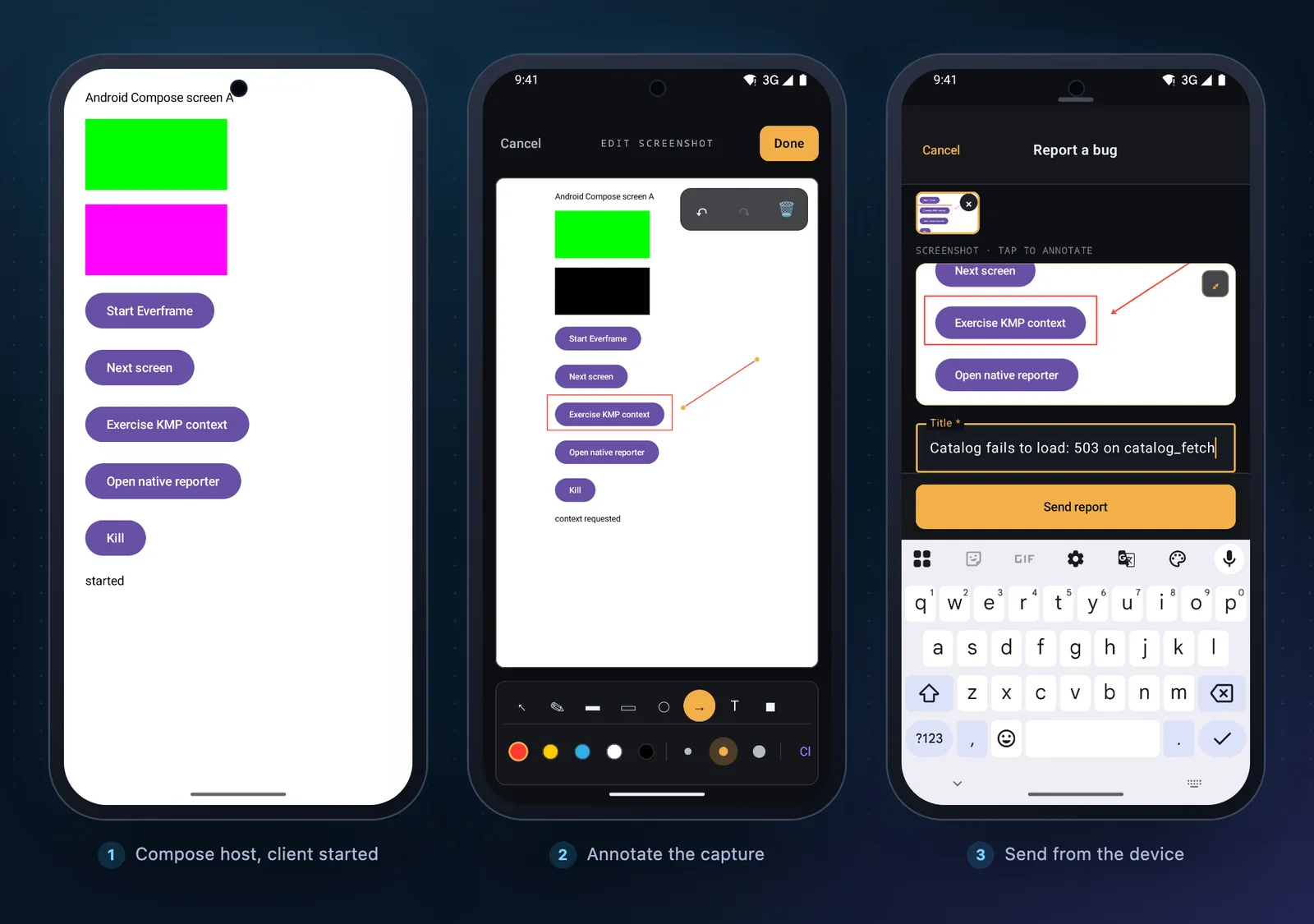
We tapped Start, changed screens, pressed “Exercise KMP context”, and opened the reporter. In the editor we drew a rectangle around the button and an arrow to it, typed a title, and sent. The app’s status line read submitted.
The report is the one at the top of this page. Its trail:
LIFE  foreground
TAP   tap AndroidViewsHandler
NAV   MainActivity → AndroidCompose-B
TAP   next screen
TAP   tap AndroidViewsHandler
NET   GET catalog_fetch 503 42ms
TAP   tap AndroidViewsHandler
NAV   AndroidCompose-B → AndroidCompose-A
TAP   next screen
You can see the two layers in it. tap AndroidViewsHandler is the native SDK noticing a touch on the Compose surface. next screen and AndroidCompose-B are the shared calls. The native tap says something was pressed. The shared breadcrumb says what.
The Context tab came from the host with no code:
| Field | Value |
|---|---|
| OS | Android 15 |
| Model | sdk_gphone64_arm64 |
| Screen | 970 × 2048 · portrait |
| App | dev.everframe.kmpprobe |
| SDK | everframe-kmp |
| Platform | android · phone |
Two errors, two groups
The handled-error calls did not ride along on the report. They arrived on their own, under Errors.
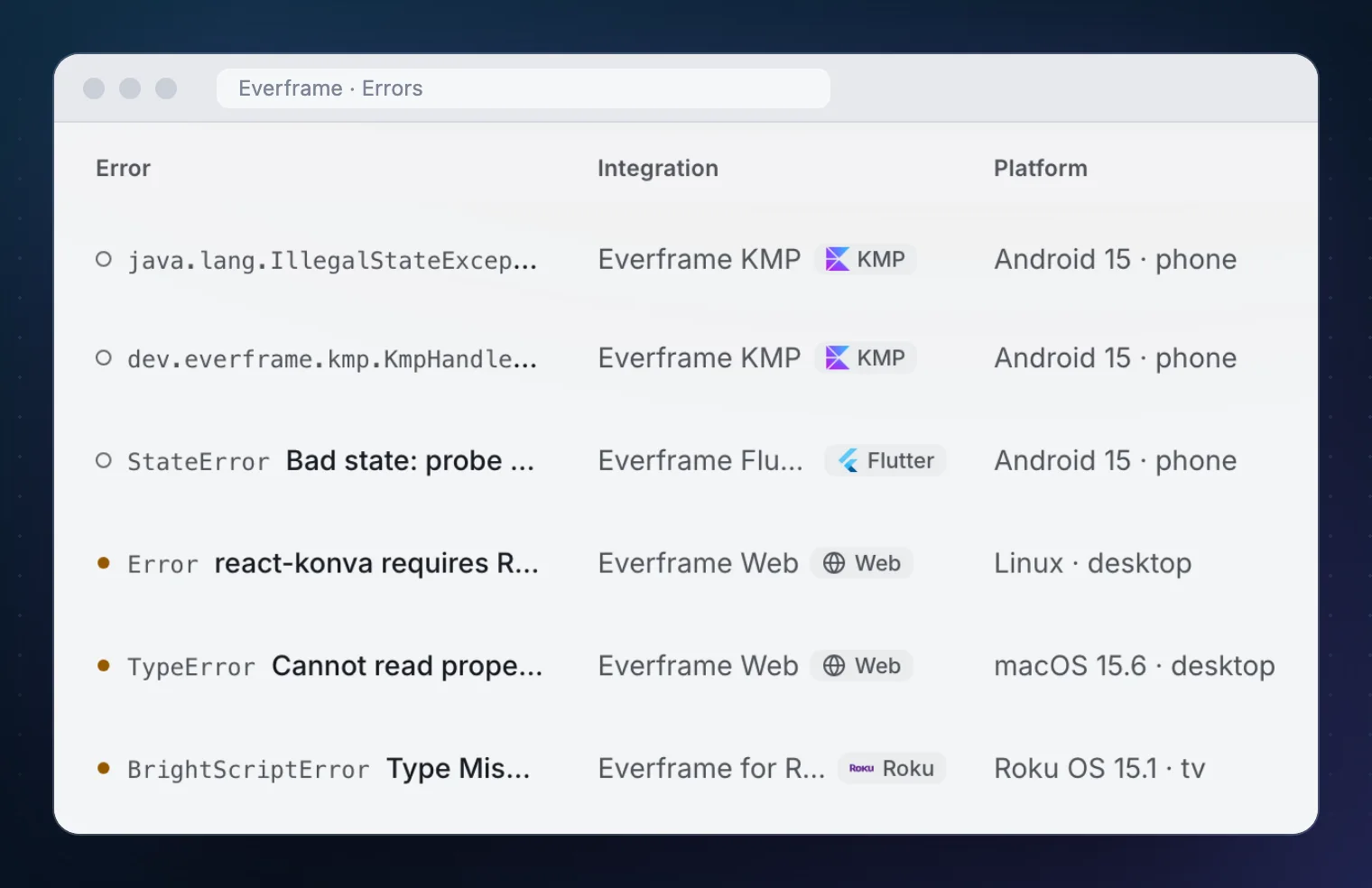
| Call | Group it produced |
|---|---|
captureException(IllegalStateException("safe sample failure")) | java.lang.IllegalStateException · safe sample failure |
captureHandledError("catalog_load_failed") | dev.everframe.kmp.KmpHandledException · KMP handled error: catalog_load_failed |
Each had two occurrences after two runs, and each carried the trail of its own session. The exception’s stack started at MainActivity.kt:85, the line of the call. The handled error’s stack started inside the bridge, at AndroidEverframeDriver.captureHandledError, which is the honest answer for an error that has a code and no throwable.
The dashboard also showed a “Mapping ID missing” notice on both. This was a debug build with no R8 mapping ID configured, so the stack was shown raw. A release build needs that set for deobfuscated frames.
Replay
Replay is off for a new integration. It is a switch in the integration’s SDK configuration, not a code change. We turned it on, restarted the app, and filed a second report.
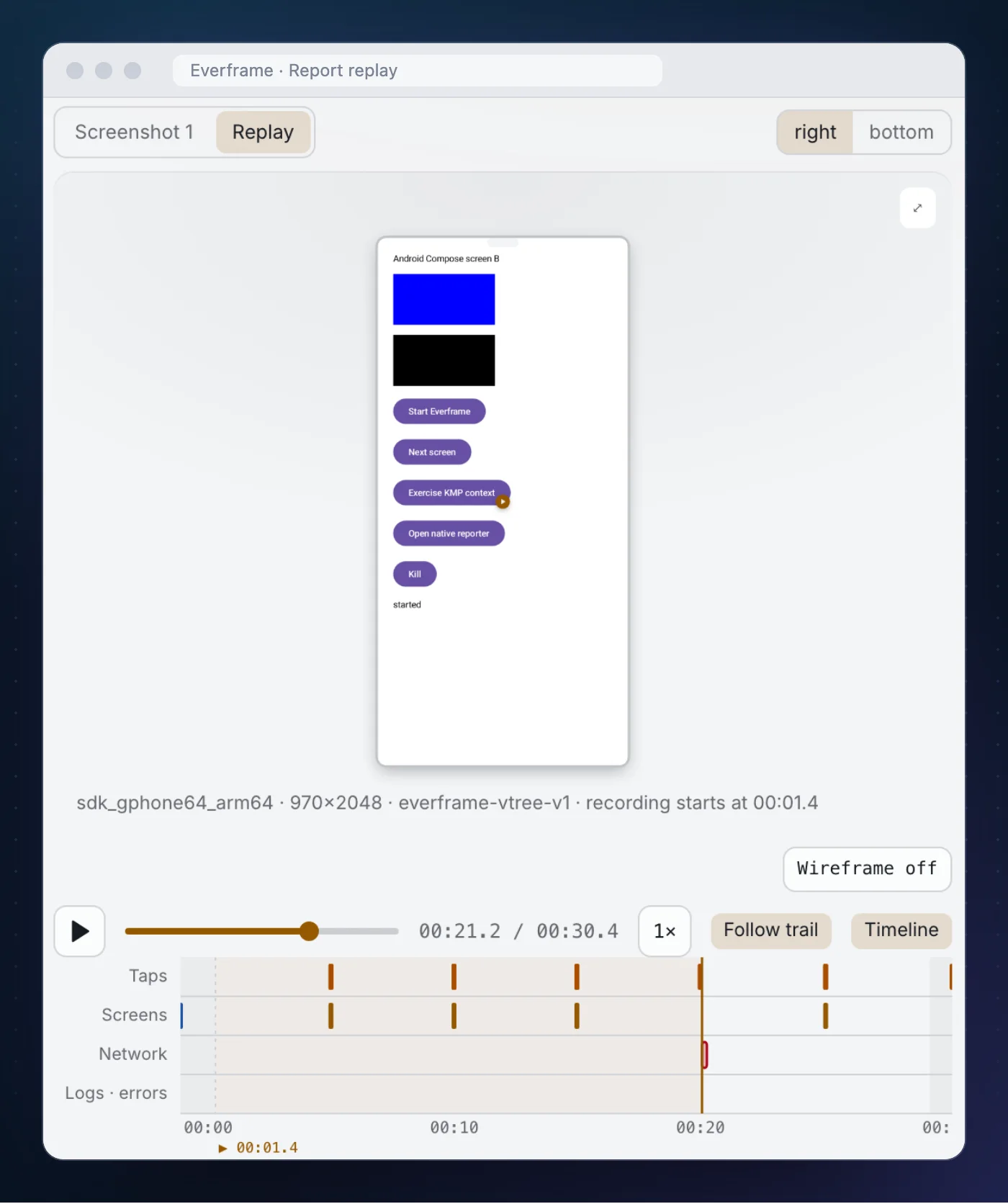
catalog_fetch row moved the playhead to the request.On Android the replay is a bounded series of masked image frames. On iOS the bridge uses the native SDK’s video replay. Neither asks for screen-recording permission.
iOS and the browser
We did not run these two for this page, so this section is what the module ships, not what we watched.
On iOS, link the native Everframe SDK 1.2.1, embed your KMP framework, and add ios/EverframeSwiftDriver.swift from the KMP sources JAR to the host target:
let client = EverframeKmp(driver: EverframeSwiftDriver())
let started = client.start(config: EverframeKmpConfig(
    appId: "<app ID>",
    sdkKey: "<SDK key>",
    environment: "production"
))
There is one Kotlin Multiplatform integration, so the same app ID and SDK key go to both hosts. A Kotlin exception caught in shared code crosses as KotlinThrowable.asError() into the Swift SDK’s handled-error path.
The module also declares a Kotlin/JS browser target. EverframeBrowserDriver takes the Web SDK’s init function and a visual provider that copies the canvas and blacks out sensitive rectangles. It reports as everframe-kmp on web, and it accepts only the production environment.
What it does not do
Shared Kotlin records nothing unless you call it: screens, breadcrumbs, handled errors and network operations are explicit. The native host still records taps, lifecycle and replay frames, and on Android, Java and Kotlin crashes. Request and response bodies are disabled through the bridge. Automatic screenshots are off; the screenshot is the one taken when a person opens the reporter.
It is also not crash analytics. There is no crash-free rate, no release health and no alerting here. If you want those for a Kotlin Multiplatform app, that is a different tool and the two run side by side.
What this run did not verify:
- iOS and the browser target. Both have probes in the repository. Neither was run for this page.
- A physical device. Everything above is an emulator.
- The Maven Central artifact end to end. The tester app builds the module from source against a local dashboard in the
developmentenvironment. - Your masking. Every host has to check its own sensitive regions. A marker in the wrong place masks the wrong pixels.
If you are wiring it in
- Add
dev.everframe:kmptocommonMainand pass oneEverframeKmpinto your shared layer. Do not construct drivers there. Install has each host. - Pick your error codes before you ship.
captureHandledErrorcodes become group titles, so name them like you would name metrics. - Call
recordScreenfrom shared navigation. One call site names screens on every platform. - Mark sensitive UI in each host, then file one report per platform and look at the screenshot. Configuration covers replay and the capture rules.
The module is MIT-licensed and on Maven Central as dev.everframe:kmp. The Kotlin Multiplatform SDK page lists what each host captures.