
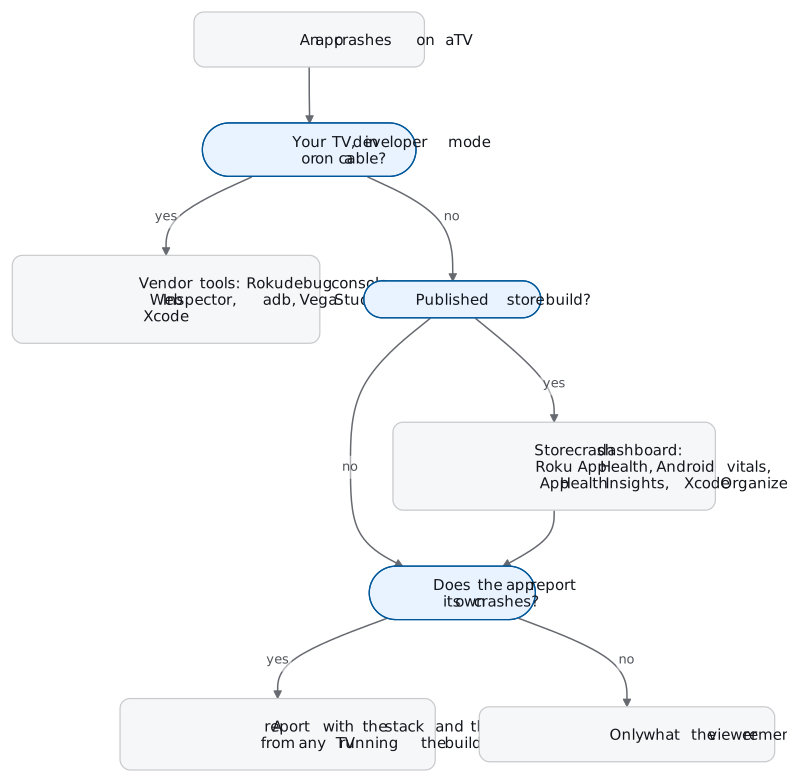
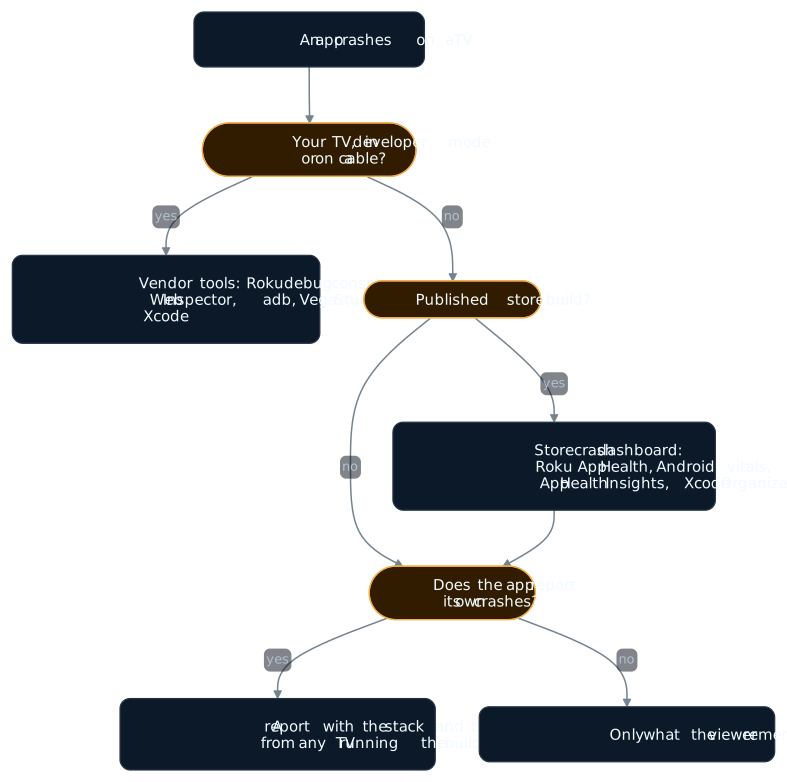
Crash reporting for smart TV apps splits along two lines: what the app is made of, and whose TV it crashed on. Roku channels are BrightScript. Samsung Tizen and LG webOS apps are web pages running in Chromium. Android TV, Google TV and Fire OS apps are Android apps, Vega OS apps are React Native for Vega, and Apple TV apps are native tvOS apps. On a TV in developer mode on your desk, each platform’s own tools show you the crash. On viewers’ TVs, Roku, Google Play, Amazon and Apple each give you a crash dashboard for published apps. Samsung states that its TV apps do not generate crash logs at all.
So crash reporting for smart TV and streaming device apps is never one tool. This guide puts the seven platform paths side by side, says what each gives you and what it misses, and links to the deeper guide for each one.
It is for teams shipping one streaming or OTT app to several TV platforms who want to see its crashes in one place. If you ship to a single platform, read the table row for it and go straight to that platform’s guide.
Seven TV platforms, side by side
What each vendor documents, as of 28 October 2026:
| Platform | The app is | On a TV on your desk | From viewers’ TVs | What the vendor tools miss |
|---|---|---|---|---|
| Roku | BrightScript and SceneGraph | Roku’s BrightScript debug console on port 8085 shows the error line and the variables | Roku’s App Health Report lists BrightScript crash logs by Roku OS and app version, about 8 hours after the crash | The exit reason reaches the channel’s own code only on its next launch, through GetLastExitInfo from Roku OS 13.0 |
| Samsung Tizen | A web app in Chromium, M130 on 2026 Samsung TVs | Tizen Web Inspector from Tizen Studio, with the TV in Developer Mode | Samsung states that TV applications do not support generating crash logs | Samsung TVs have a memory limit of 380 MB on UHD models, and the Web Inspector does not show AVPlay playback traffic |
| LG webOS | A packaged or hosted web app, Chromium 132 on webOS TV 26 | ares-inspect opens Web Inspector, with Developer Mode on | LG’s Web Inspector needs a TV in Developer Mode, connected to your computer | LG says a launched webOS app can be terminated or suspended at any time |
| Android TV and Google TV | An Android app | adb bugreport and the logcat crash buffer, once developer options are unlocked | Android vitals in Play Console: crash and ANR rates, with stack traces, from users who agreed to share data | Android vitals only counts apps installed from Google Play on certified devices |
| Fire TV on Fire OS | An Android app; Fire OS 7 is based on Android 9 | adb over the network, once ADB Debugging is on | Fire TV App Health Insights in Amazon’s Developer Console: crash and ANR rates for live apps, a day behind | Fire TV App Health Insights leaves out sideloaded devices and Live App Testing versions |
| Fire TV on Vega OS | React Native for Vega, on React Native 0.72 | Vega Studio copies the aggregated crash report (ACR) from a connected device and symbolicates it | Vega OS is a device OS filter in App Health Insights | Vega Studio needs a connected device to retrieve an ACR |
| Apple TV (tvOS) | A native tvOS app | Xcode’s device window (Device Hub from Xcode 27) and the console log, with the Apple TV paired to a Mac | Xcode’s Crashes organizer, from customers who share diagnostics; TestFlight testers share crash reports automatically | Jetsam (high memory) and watchdog events are not in Xcode’s Crashes organizer |
Two things stand out. First, every “on your desk” route needs a TV you hold, in developer mode or on a cable. Second, the “from viewers’ TVs” column is store dashboards for published builds, and the Samsung row has no crash log in it at all.
Roku
Roku’s reference documentation says BrightScript powers all Roku apps, with SceneGraph as the UI framework. On a sideloaded channel, the BrightScript debug console on port 8085 shows the line number of the error and the contents of variables at the time of the crash.
For a published channel, Roku’s App Health Report in the Developer Dashboard is where smart TV crash logs from real viewers show up. It counts the share of devices that hit a BrightScript crash and the crashes per streaming hour. Its BrightScript Crash Logs table lists crashes by date, Roku OS version, app version and error text, about 8 hours after the crash. Roku notes that access to some dashboards depends on the size of the business relationship.
Inside the channel, Roku OS 13.0 added GetLastExitInfo, which tells the channel’s own code why its previous launch ended. Its exit codes include EXIT_CHANNEL_MEM_LIMIT_FG for the per-app memory limit in the foreground and EXIT_SYSTEM_KILL for a Roku OS kill. On platforms that run apps as a separate process, it also returns the last 20 lines of the BrightScript console. And since Roku OS 9.4, BrightScript has try/catch, with a backtrace on the caught exception.
Those two features are the raw material for any Roku crash report a channel sends itself. Roku crash logs walks through a crashing test channel end to end. React Native on Roku covers why a React Native codebase cannot follow you there. The Roku platform page lists what Everframe captures on Roku.
Samsung Tizen and LG webOS
Both TVs run your app as a web page. Samsung TVs from 2026 run Tizen 10.0 with Chromium M130 as their web engine, and LG’s webOS TV 26 runs Chromium 132. The crash you can see is a JavaScript error in a DevTools window. On Samsung, Debug As > Tizen Web Application in Tizen Studio installs the app and opens the Tizen Web Inspector. On LG, ares-inspect opens Web Inspector for the app. Both need the TV in Developer Mode, and LG’s Developer Mode session is time-limited: when it lapses, the apps you installed in Developer Mode are uninstalled.
From viewers’ TVs, Samsung gives you less than any other platform here. Samsung’s Application Testing Q&A states that TV applications do not support generating crash logs, and that the sdb logging feature is not supported on Samsung TVs. It suggests a software watchdog timer to detect an app that stops or closes unexpectedly. Memory is a common killer: Samsung lists a limit of 380 MB on UHD models and 300 MB on FHD models.
Smart TV app logs covers both toolchains step by step, including what each inspector leaves out. The Tizen and webOS platform pages list what Everframe captures there.
Android TV and Google TV
An Android TV app is an Android app, so the Android tools work once you unlock developer options: select Build in Settings > Device > About several times. adb bugreport writes a zip with dumpsys, dumpstate and logcat output, and logcat’s crash buffer stores crash logs.
From viewers’ TVs, Android vitals in the Play Console reports user-perceived crash and ANR rates, and you can read crash stack traces there. Android vitals only uses data from users who agreed to share it, and it only counts certified devices and apps installed from Google Play. A build your testers sideload never appears in it.
Android TV and Fire TV bug reports covers adb on a TV, from developer options to the crash buffer. The Android TV platform page covers Everframe on Android TV.
Fire TV: Fire OS and Vega OS
Fire TV is now two platforms. Fire OS apps are Android apps: Fire OS 8 is based on Android 10 and Android 11, and Fire OS 7 on Android 9. On your desk, turn on ADB Debugging in Developer Options and connect adb over the network.
The closest thing to a Fire TV crash log from viewers’ devices is Amazon’s App Health Insights dashboard, in the Developer Console under your live app. Its stability view shows crash and ANR rates averaged across live versions, and for most of its numbers the data is a day behind. Fire TV App Health Insights leaves out Live App Testing versions and sideloaded devices. Amazon’s Vitals API, in open beta, exposes crash rate, ANR rate and low memory kill rate for Fire TV and Fire tablet apps.
Vega OS, which Amazon announced on 30 September 2025, runs apps built with React Native for Vega, on React Native 0.72. When a React Native for Vega app crashes, Vega OS writes an aggregated crash report (ACR) on the device, with metadata, device logs and an encoded dump that Vega Studio symbolicates. Amazon’s crash report page says both ways of retrieving an ACR in Vega Studio need a connected device. In App Health Insights, Vega OS appears in the device OS filter.
Android TV and Fire TV bug reports covers adb on Fire TV. The Fire TV platform page covers Everframe on Fire OS, and the Vega OS page covers its Vega OS preview, which reports JavaScript errors only.
Apple TV
Apple TV apps get Apple’s crash pipeline. The Crashes organizer in Xcode shows reports from customers who share diagnostic and usage information with developers. TestFlight testers share crash reports automatically, whatever their device setting. Jetsam events from high memory use and watchdog events are not available through the Crashes organizer. Apple’s instructions for finding a crash report in the device’s Analytics Data and emailing it cover tvOS too.
One iPhone habit does not carry over: MetricKit’s platform list covers iOS, iPadOS, Mac Catalyst, macOS and visionOS, and does not include tvOS. Apple TV crash logs covers the organizer, symbolication and device logs in full. The tvOS platform page covers Everframe on Apple TV.
What breaks on every TV
Memory kills look like the app closing itself. Each platform records them somewhere different. Roku has the EXIT_CHANNEL_MEM_LIMIT_FG exit code, Amazon reports a low memory kill rate, Samsung lists hard limits, and Jetsam events are not available through Xcode’s Crashes organizer. To the viewer, the app just closed.
Store dashboards miss your testers. Android vitals counts only installs from Google Play. Fire TV App Health Insights leaves out sideloaded devices and Live App Testing builds. The build in your testers’ hands is the one you most need crash data from before release, and it is the one these dashboards leave out.
Store dashboards are late and aggregate. Roku’s crash logs arrive about 8 hours after the crash, and most App Health Insights data is a day behind. By then the release has been on viewers’ TVs for a day.
The desk tools need the desk. Developer Mode on Samsung and LG, adb on Android TV and Fire TV, a connected device for Vega Studio, a Mac for the Apple TV console log. A viewer’s TV has none of that set up.
For OTT app crash reporting, the second and third points matter most. A release fails on the TVs you are not holding, and you hear about it a day later as a number.
Where an in-app SDK fits
Everything above is the platform’s own tooling. The other route is an SDK inside the app that records the crash itself and sends it from whichever TV it happened on, sideloaded test build or store install alike, in the same shape on every platform. For streaming app crash reporting across several TV platforms, it is the one route that covers testers’ builds and every platform at once.
This is what we build, so here is exactly what Everframe reports on each TV platform, limits included.
Roku
The Roku SDK files crash and error reports only: crashes, out-of-memory kills and runtime errors, reported on the next launch on Roku OS 13.0 and later, with a stack when the build step instruments the channel. No reporter, screenshot or replay.
Samsung Tizen and LG webOS
The React or Web SDK, running in the TV's web runtime. Uncaught JavaScript errors with the stack, console, network calls and the trail of screens, and replay when it is enabled. A crash of the TV's own web runtime is not reported.
Android TV
The Android SDK. Uncaught Java and Kotlin exceptions, and native crashes and ANRs on Android 11 and later. A low-memory kill is reported only when the OS records it as one. A linked test TV files a quick capture with one remote gesture.
Fire TV on Fire OS
The Android SDK. Uncaught Java and Kotlin exceptions, as on any Android device. Native crashes on Fire OS 8 arrive without stack frames, and Fire OS 7 keeps no exit record for them. On-device capture arrives later.
Fire TV on Vega OS
The Vega OS SDK is a preview that reports JavaScript errors only: uncaught errors, promise rejections and errors you pass to it, mapped to your source. No native or C++ crashes, ANRs, screenshot or replay.
Apple TV
The iOS SDK. Native crashes are reported on the next launch, and foreground memory kills as inferred terminations, without a stack. Holding Play/Pause on a linked Apple TV files a quick capture.
Every one of these arrives as the same report envelope, so one webhook receiver and one set of triage rules handle them all. Release health tracks a crash-free rate per app version on each of these platforms, counted in sessions, or in monitored launches on Roku. A release that ships to several platforms shows as one row with each platform’s crash-free rate, and the alert fires when any one platform with enough sessions falls below your target. That makes TV app crash reporting a per-release question rather than six dashboards.
What it does not do on TVs. There is no reporter on any TV: nothing is typed with a remote, and on Roku, Tizen, webOS and Fire OS a tester cannot file a bug report from the TV yet. A crash below the layer the SDK runs in is not reported: the TV's own web runtime on Tizen and webOS, native code on Vega OS, or a kill on Android TV that the OS does not record.
To try it on one platform first: the Free plan covers 1,000 monthly active installs with unlimited crash reports, and each platform page linked above lists its install step.